
Update profile information
Edit your profile information, such as your contact preferences, password, or address.
To update information associated with your account, such as your name, password, address, or contact preferences:
1. Click the My Account (person-shaped) icon in the upper-right-hand corner of the page.
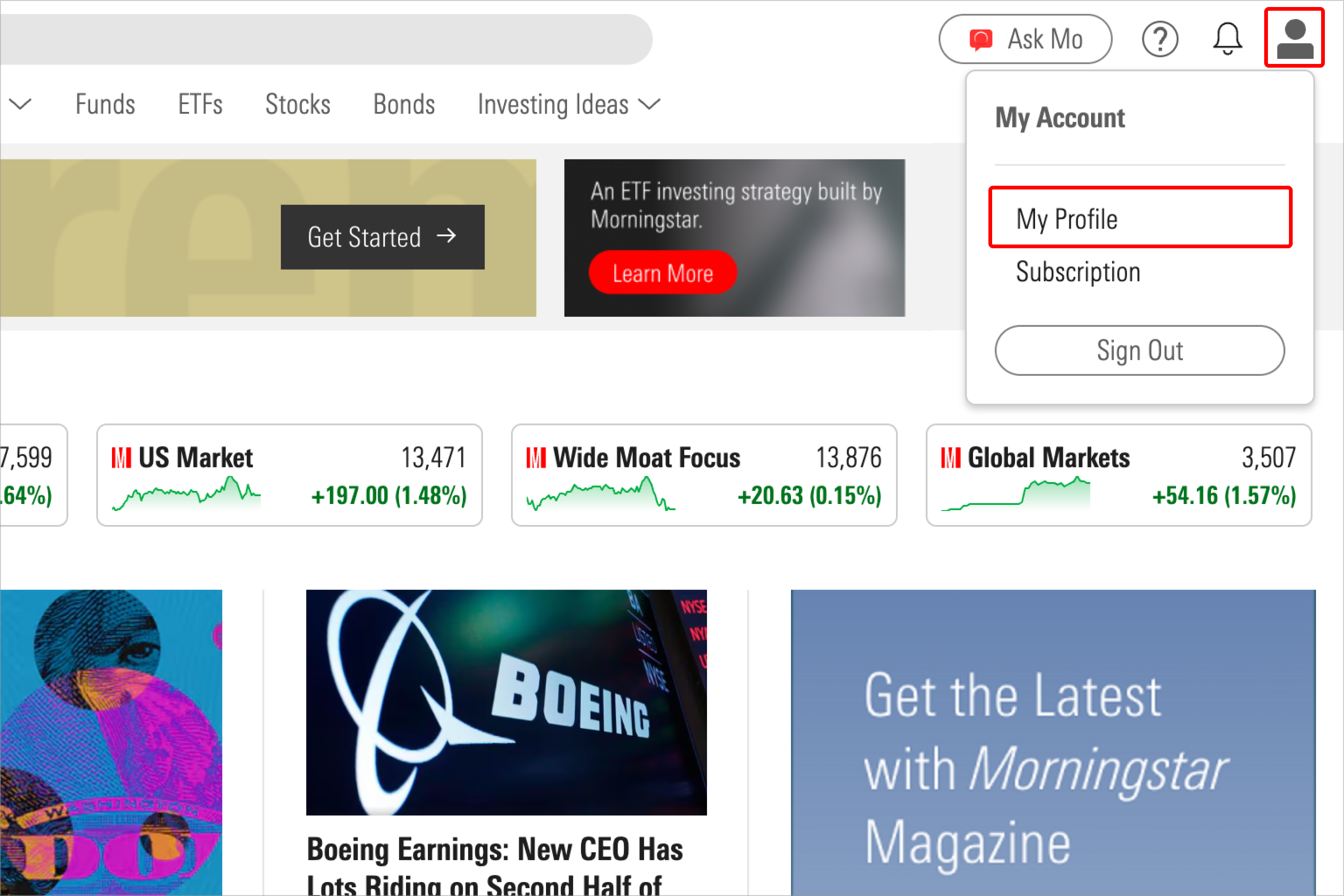
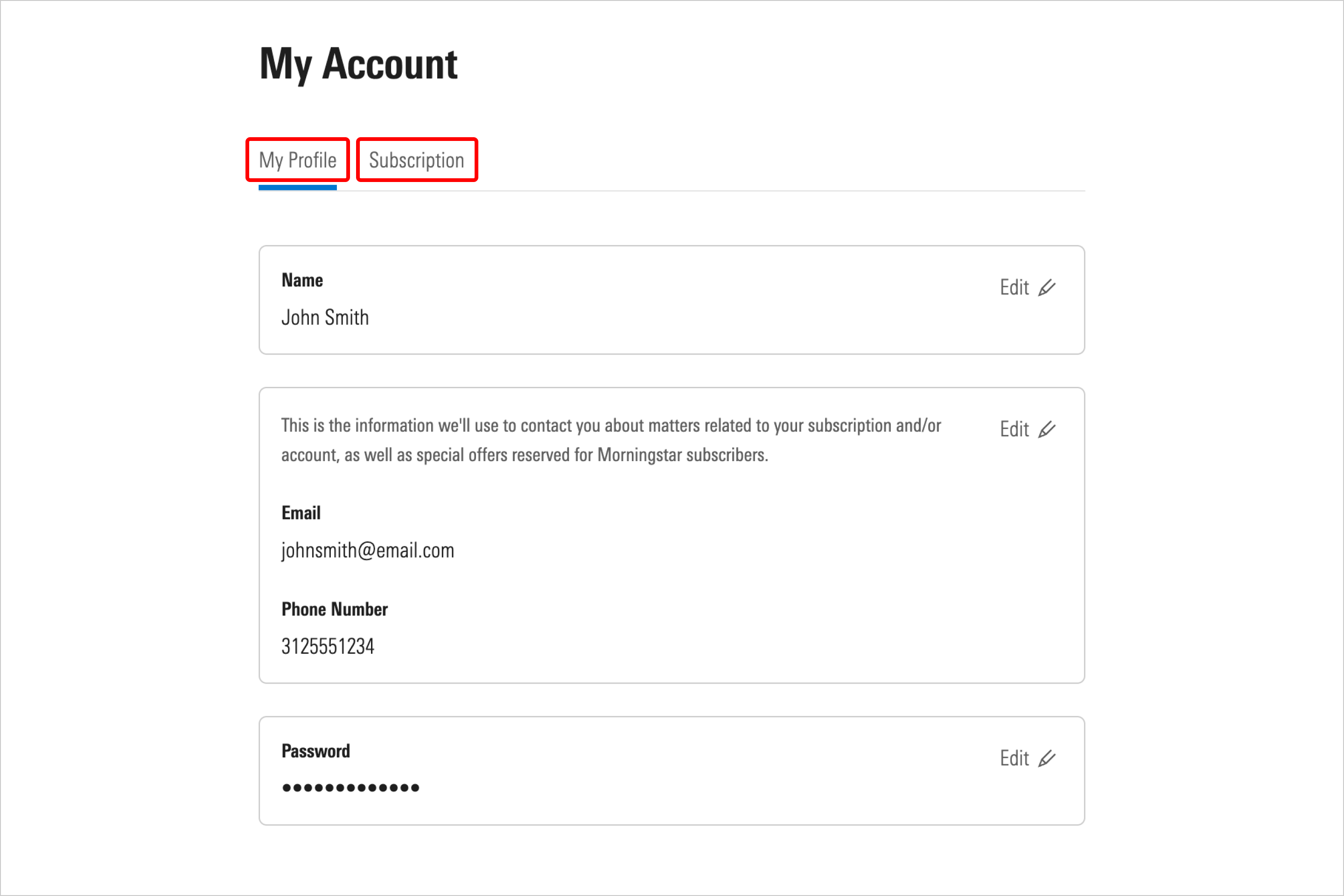
2. Choose between the My Profile and Subscription tabs and use the Edit button in each section to make your desired changes.

 United States