
X-Ray
Learn about the analysis and benchmarking available within the X-Ray tool.
Morningstar's Portfolio X-Ray evaluates what you hold from every angle and is of particular value when reviewing portfolios that include multiple funds or ETFs, or a blend of stocks and funds.
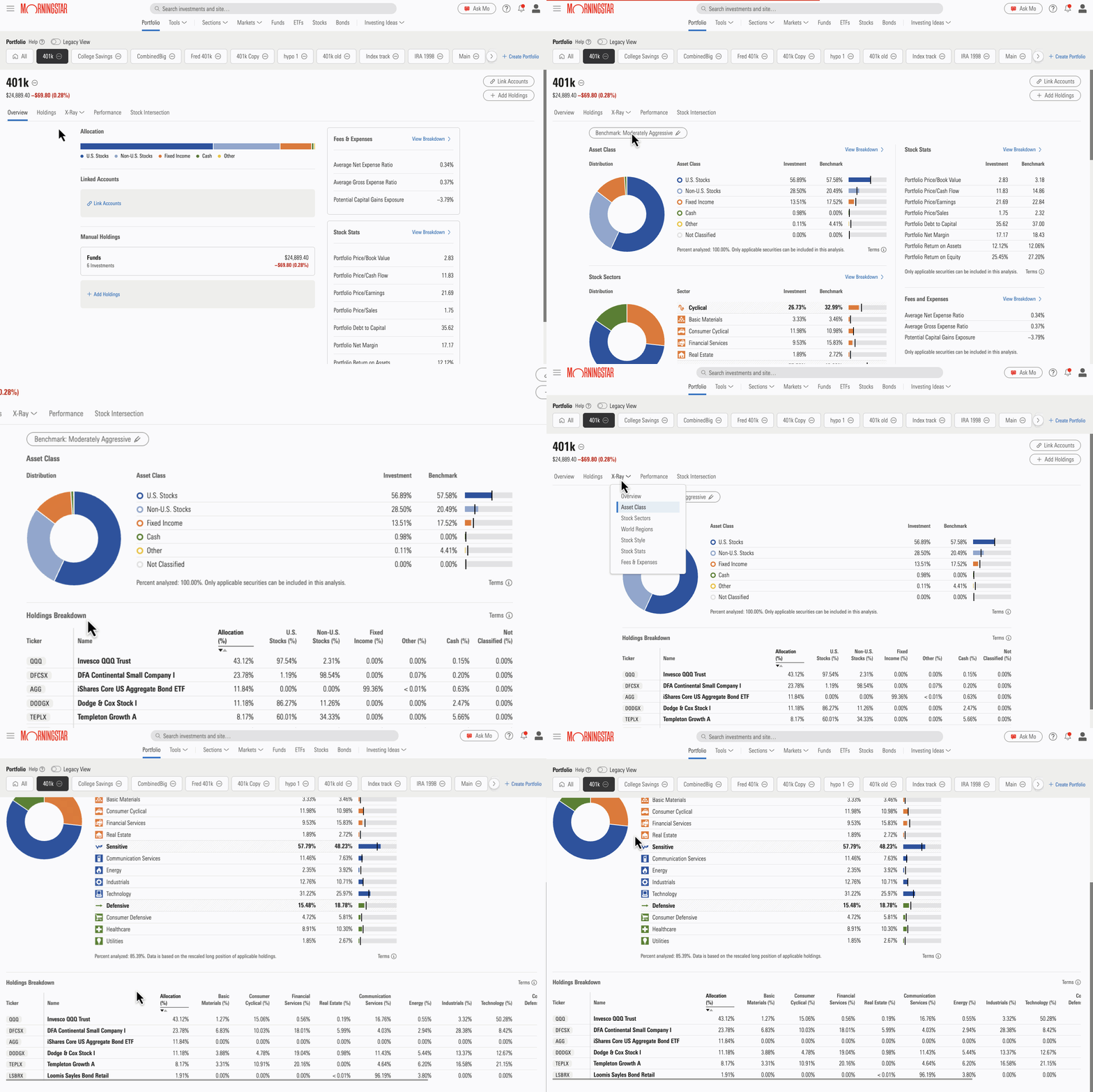
When you select a view within X-Ray, such as Asset Class, World Regions, Stock Style, and more, you can see a Holdings Breakdown table which shows how each security in the portfolio contributes to the breakdown totals. The security-level detail in these breakdown tables highlight which holdings are driving overweight positions or underweight positions relative to a benchmark.
To get started:
1. Navigate to X-Ray.
Open your portfolio and select one of the X-Ray views from the drop-down menu. Then click Benchmark to select the criteria that best suits your investing goals.
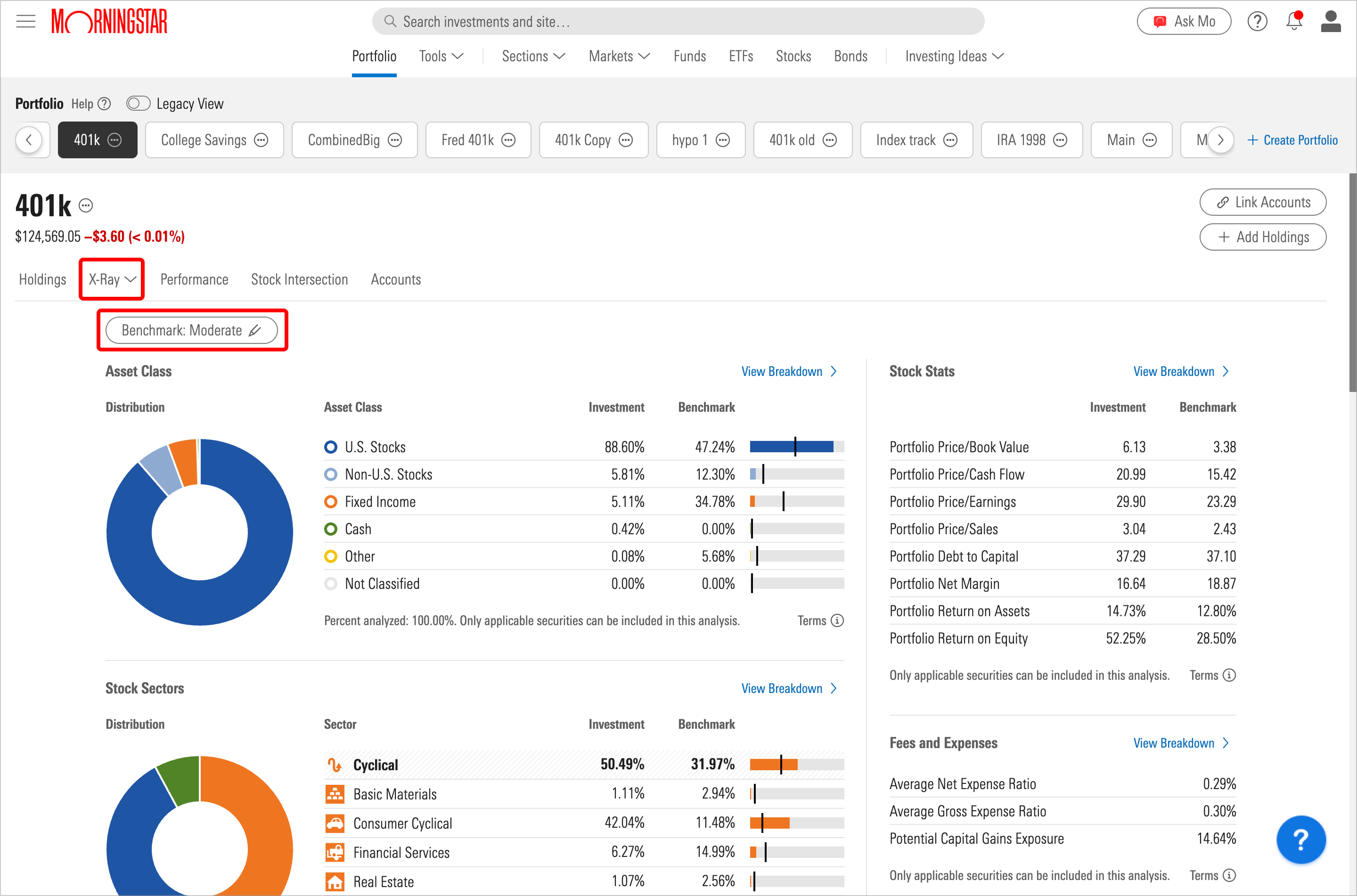
2. Choose your benchmark.
You can choose from a range of benchmarks, from aggressive, which prioritizes stocks over bonds and cash, to conservative, which focuses on slightly higher weightings in bonds.
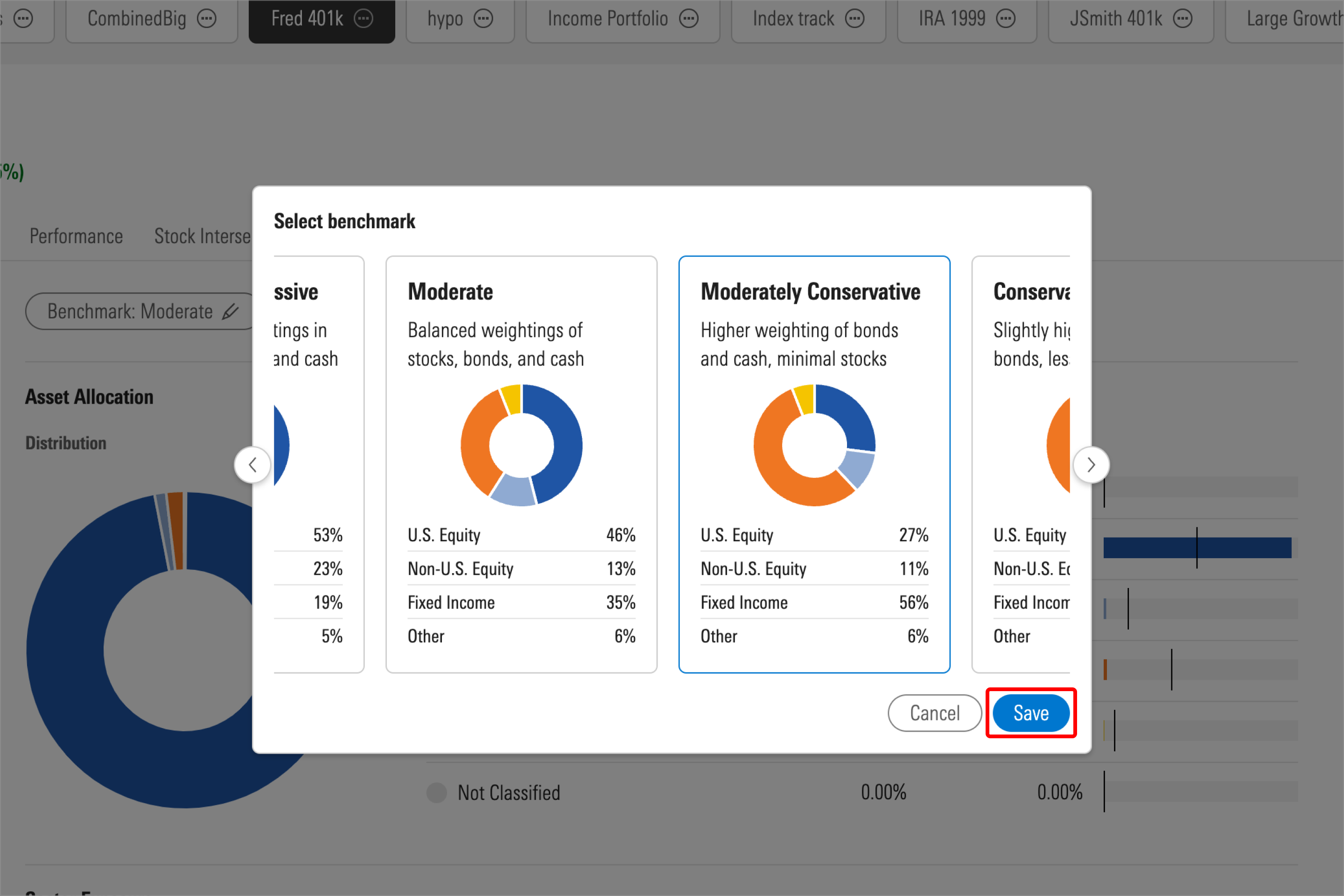
3. View your results.
Once you've selected and saved your benchmark, X-Ray will auto-populate charts and tables that can help you understand how your portfolio stacks up in the following areas:
- Asset class: how your holdings are diversified across asset classes
- Stock sector: reveals how you're concentrated across 12 sectors
- World regions: view of your exposure across world regions
- Fees and expenses: outlines fees and expenses associated with your holdings, including the weighted average expense ratio across your whole portfolio
- Stock stats: assigns important ratios to your holdings, including price/book, price/earning, and more
- Equity style box: how well you're diversified across stock styles
- Fixed-income style box: evaluates performance using the pillars of interest-rate sensitivity and credit quality
4. See how X-Ray can help you rebalance.
Check out these helpful tips, along with a webinar recording for visual learners, to rebalance your portfolio using Investor's portfolio tool.

 United States