
Forgot password
Reset a forgotten password.
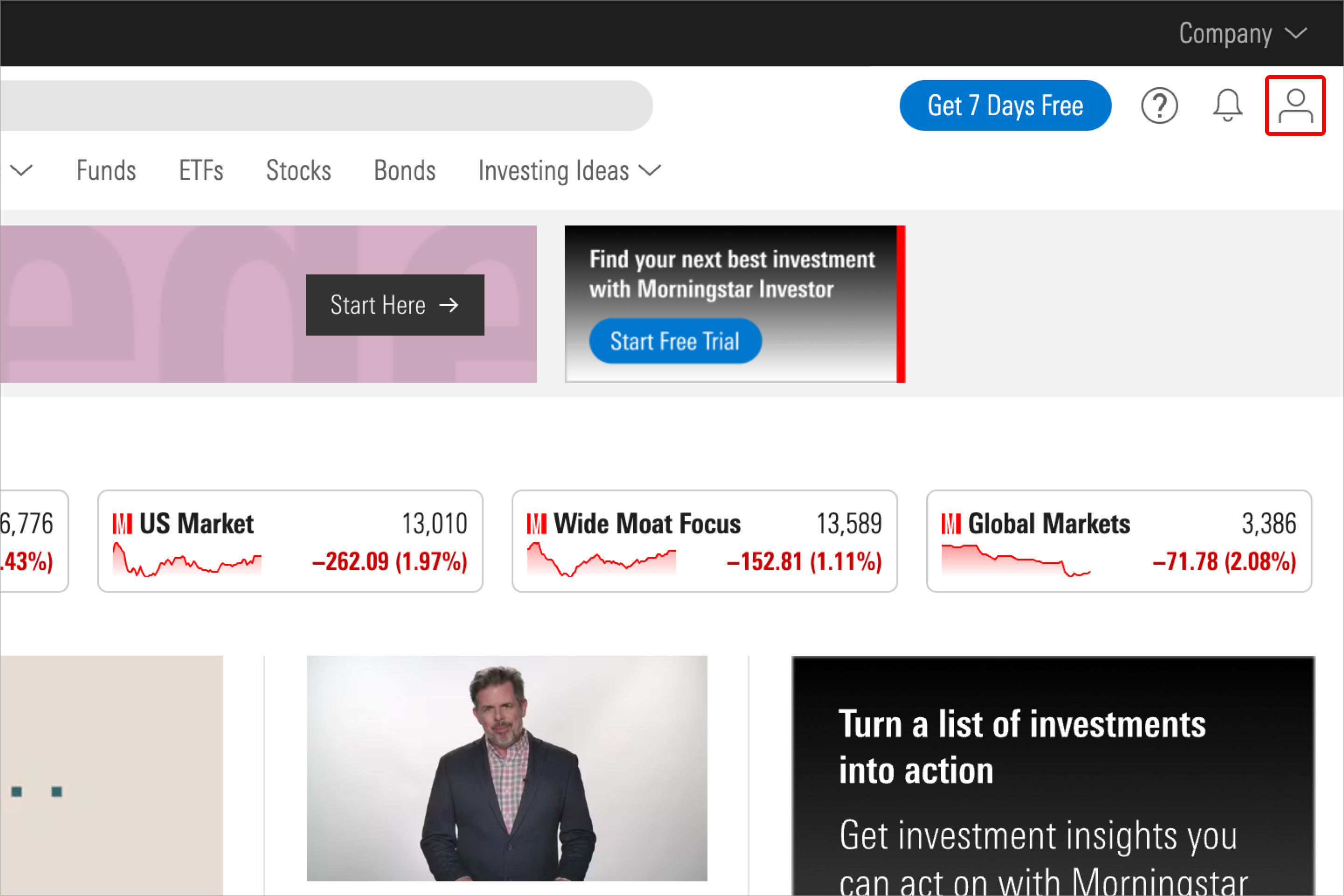
1. Select the My Account (person-shaped) icon in the upper-right-hand corner of the page.
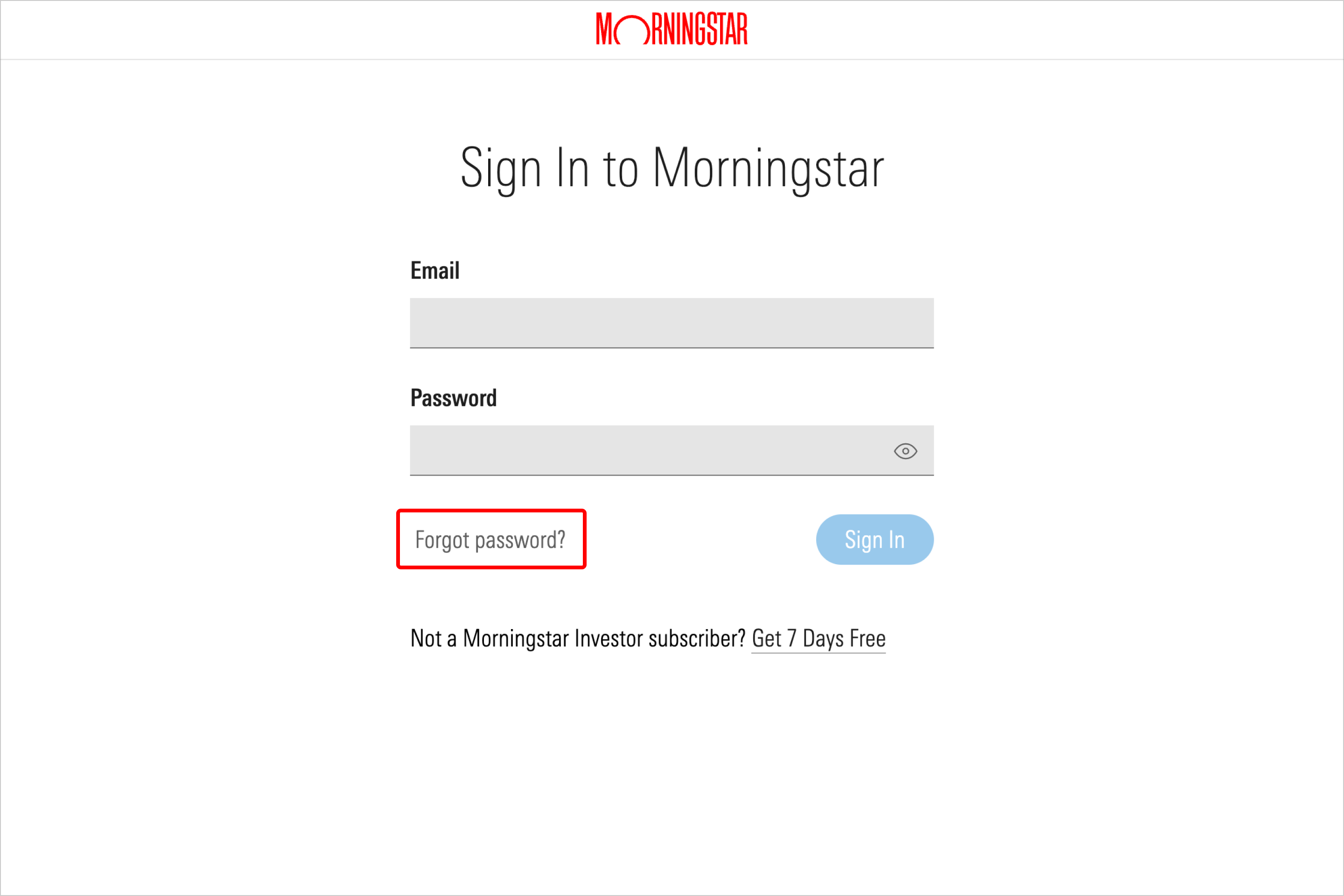
2. Select "Forgot password?"
3. Enter the email associated with your Morningstar account, and select Reset Password.
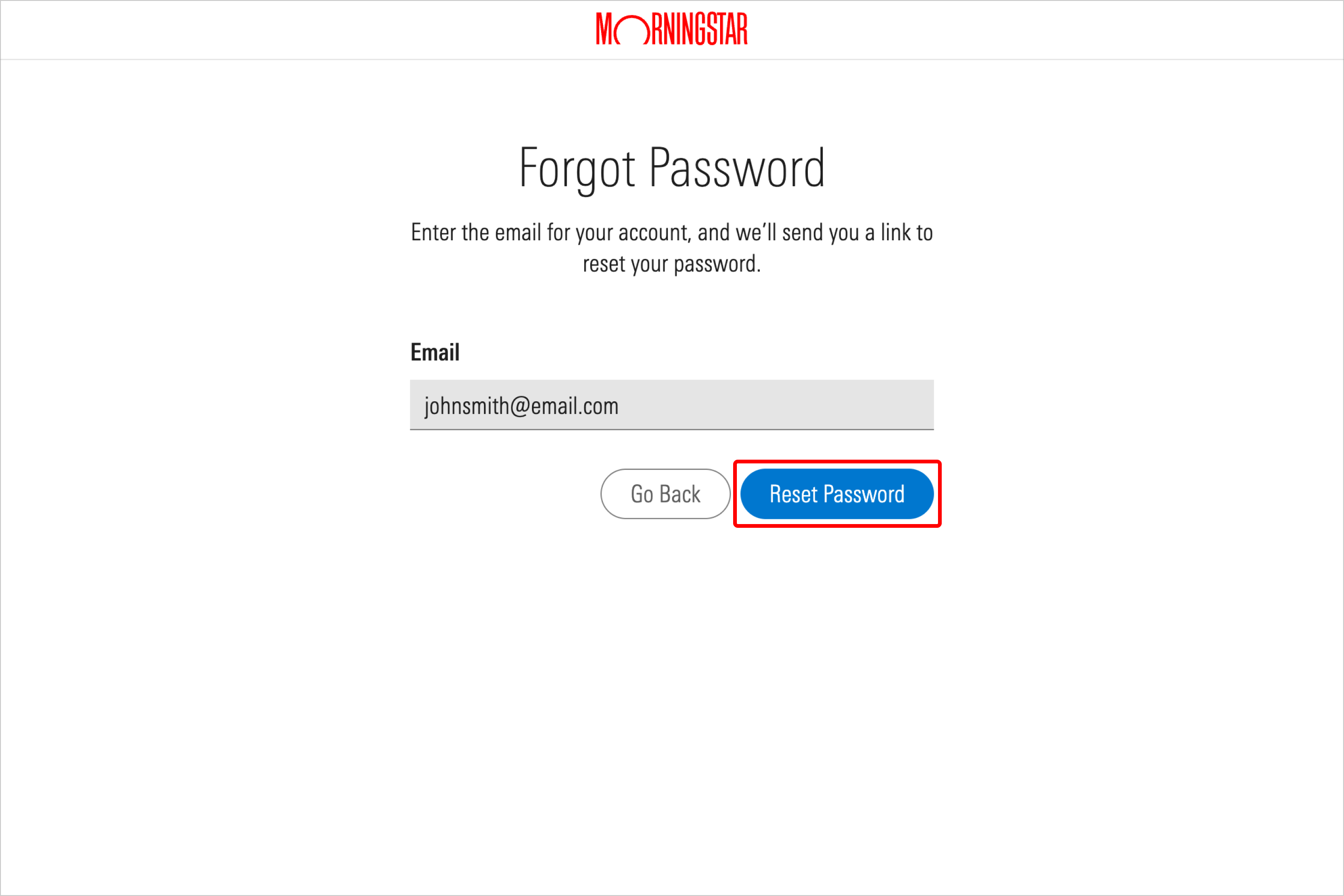
After doing so, you will receive a password reset email at the address associated with your Morningstar account. This email will contain a link that leads to instructions for resetting your password.

 United States