
Email notifications
Learn how to opt in to (or out of) emailed notifications of updates to securities within your portfolios and/or watchlists.
Our notifications feature includes an email digest of timely updates about the securities that matter most to you: the ones already in your portfolio, plus anything you’re monitoring in a watchlist.
What to expect
Notification emails contain the latest updates pertinent to your portfolios and watchlists from the previous market day. It will land in your inbox around 8AM CDT/CST (before market open)—unless there are no updates from the day before, in which case an email will not be sent.
Opt in to receive email notifications
For users with existing portfolios and/or watchlists
- First, make sure you are signed into your Investor account.
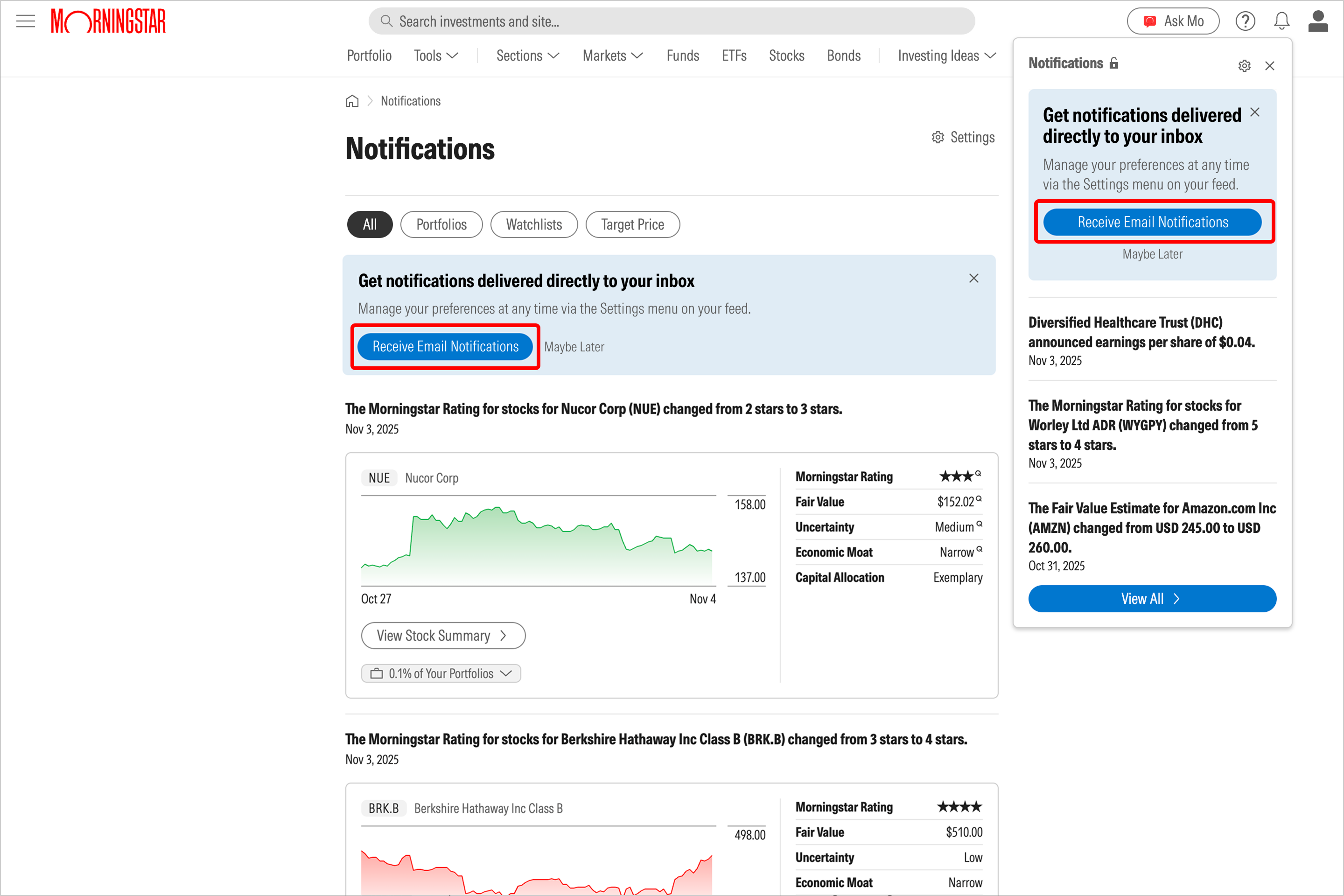
- Next, click on the bell icon in the upper-right-hand corner of the site and click Receive Email Notifications. Alternatively, you can click on the same button on the Notifications page.
For users without any portfolios or watchlists
- First, make sure you are signed into your Investor account.
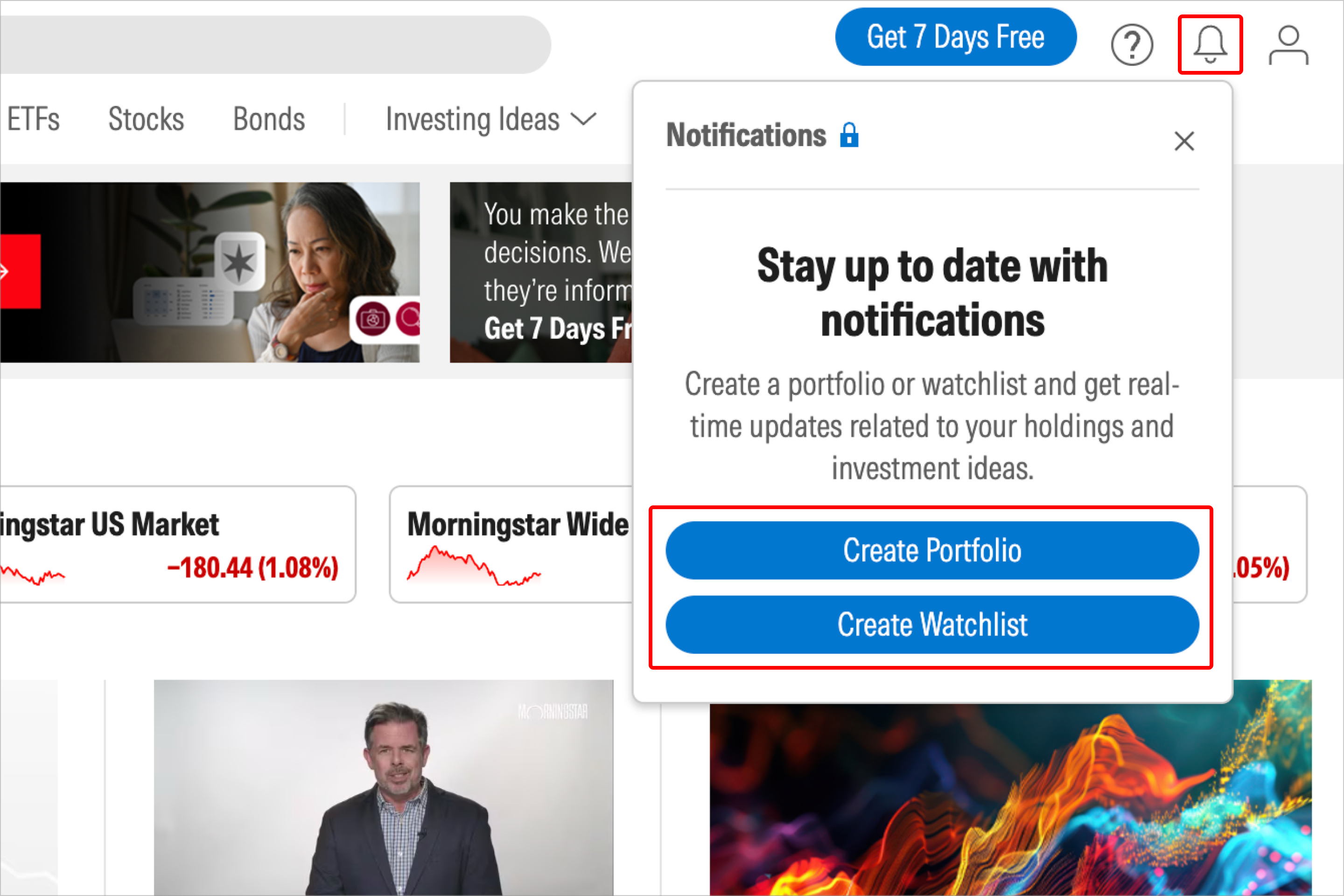
- If you haven’t created a portfolio or watchlist before, you’ll be prompted to do so when you click on the bell icon. You won’t receive any notifications until you’ve made at least one portfolio or watchlist.
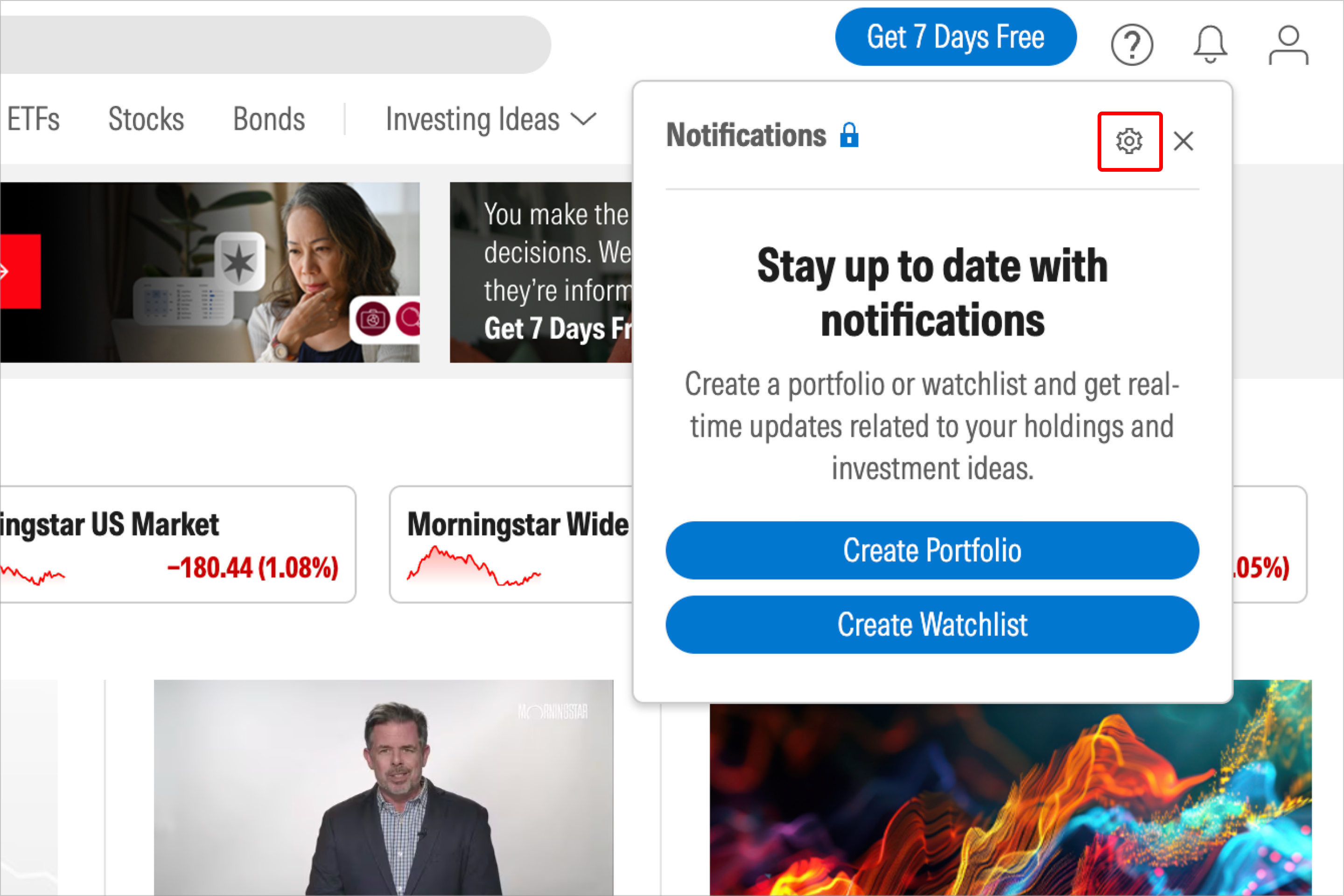
- In the event that you aren’t ready to create a watchlist or portfolio yet, but you already know you’ll want to receive notification emails in the future, click on the gear icon to directly edit your notification settings.
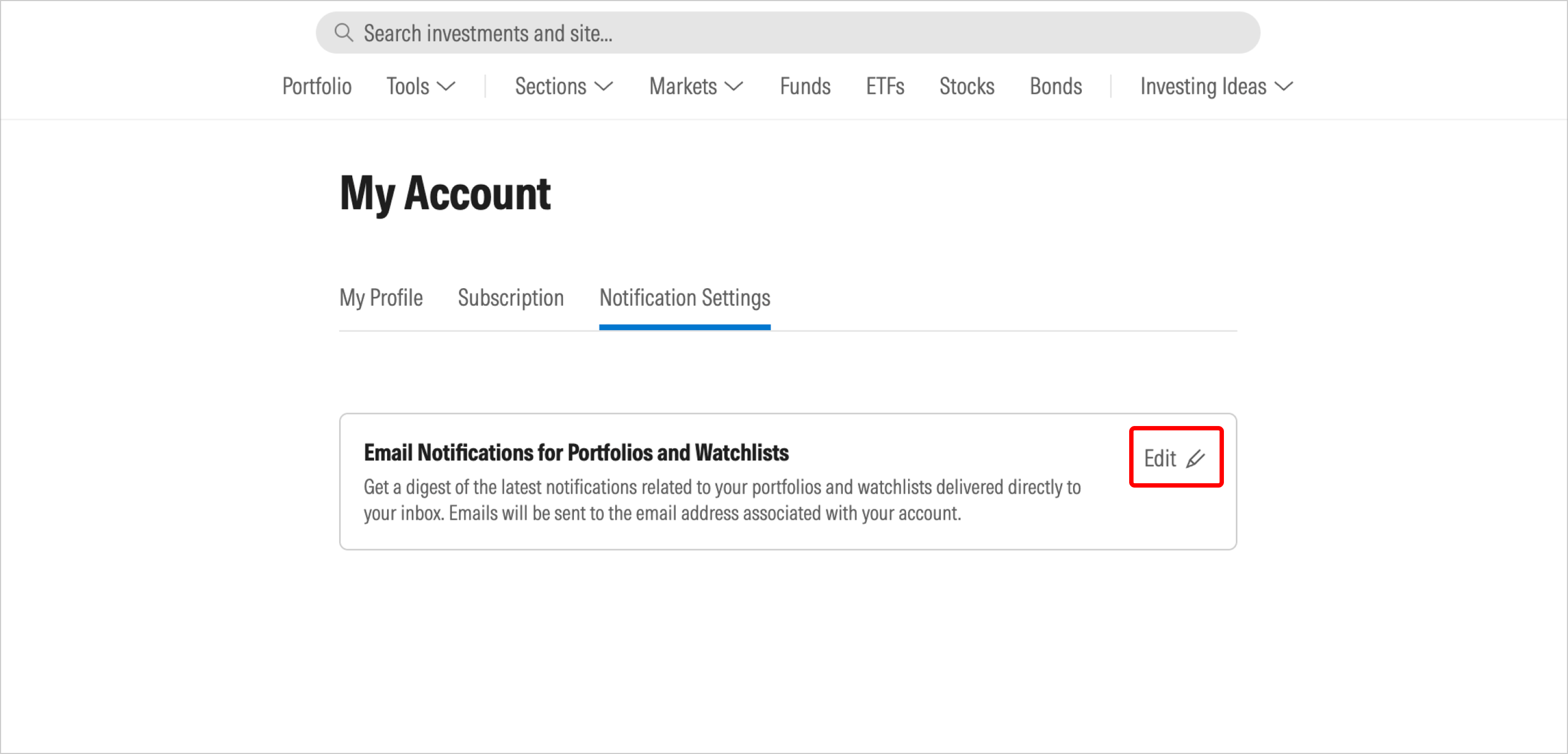
- Select Edit.
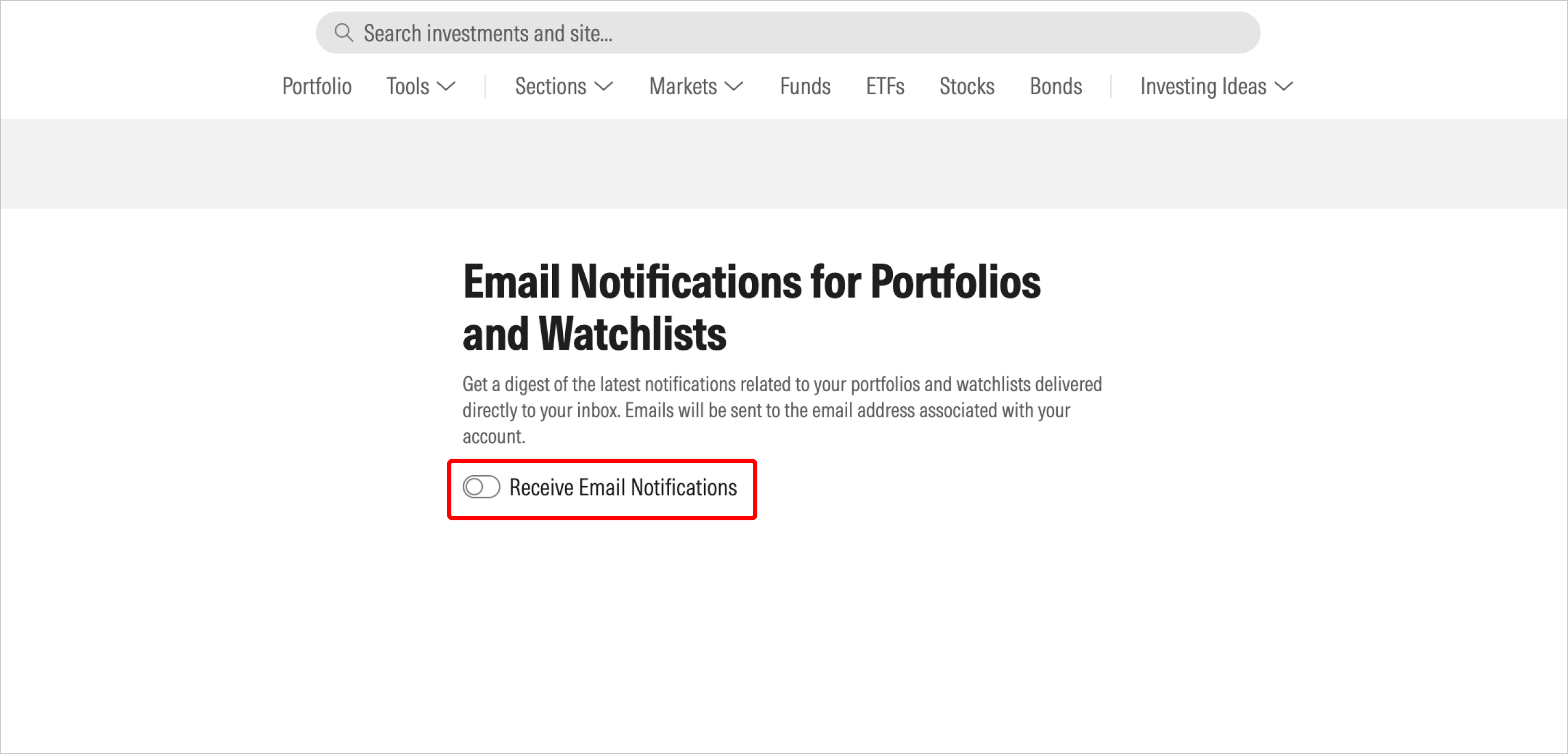
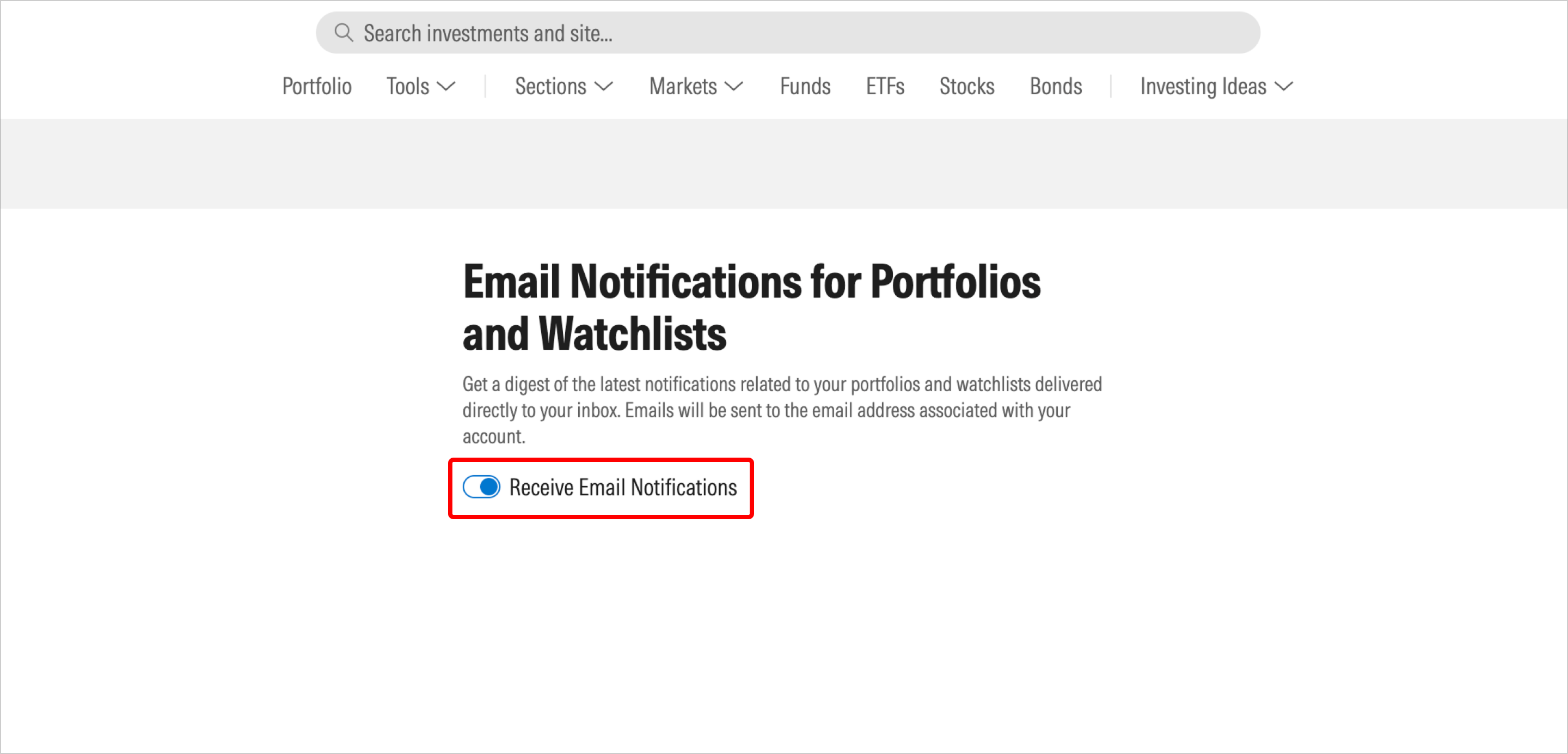
- Move the toggle to opt in to receiving email notifications.
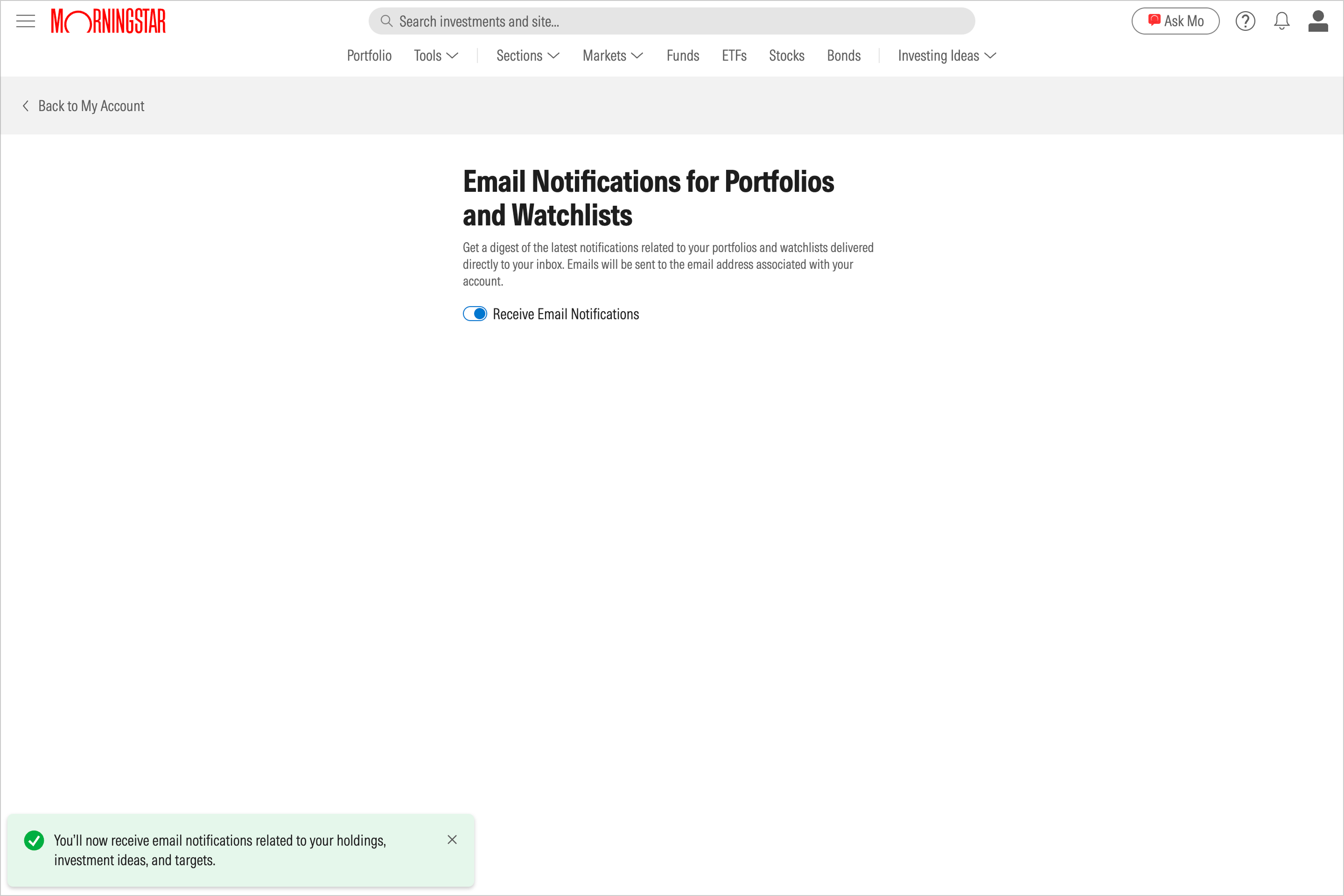
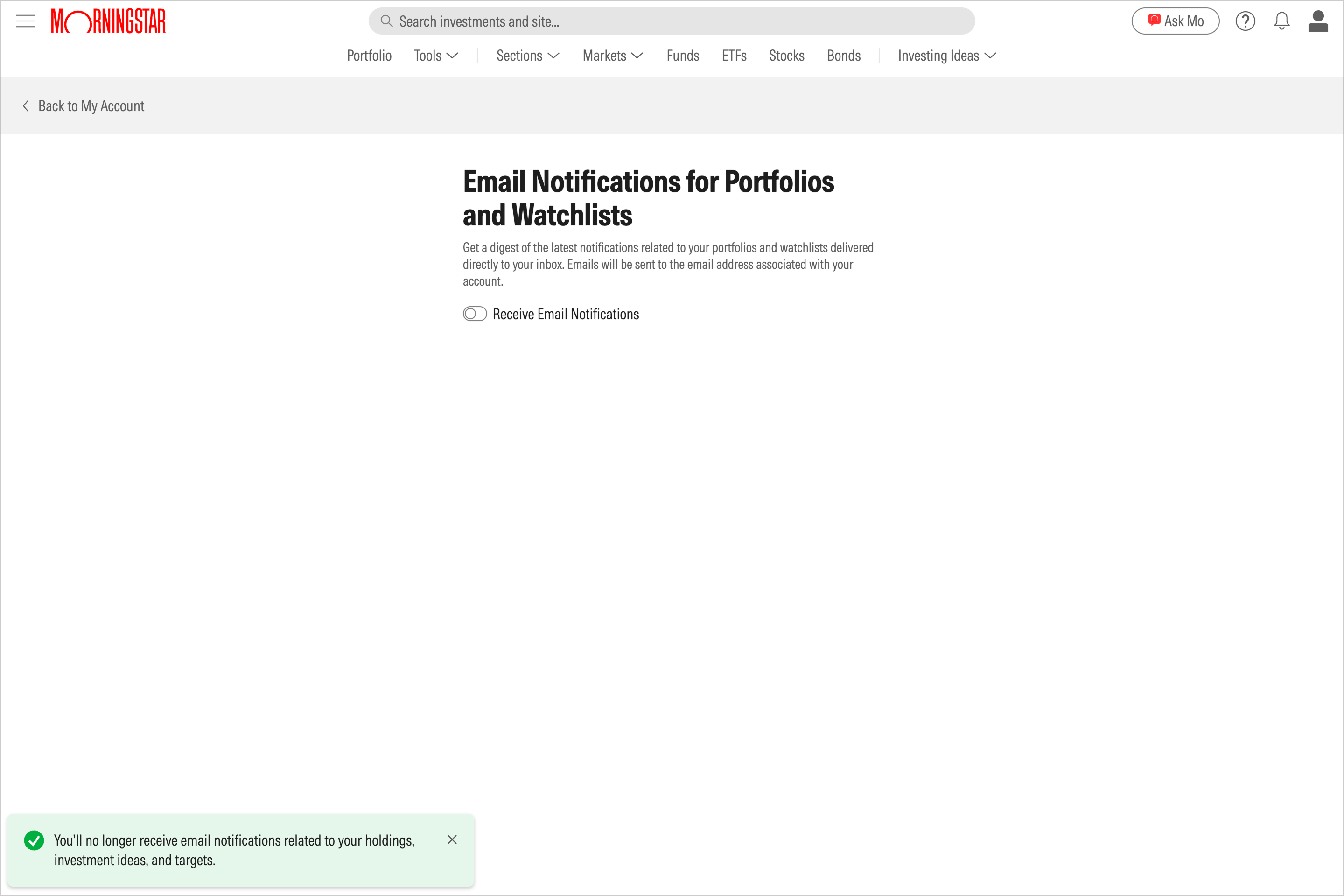
- The corresponding success message will display on the screen.
Opt out of email notifications
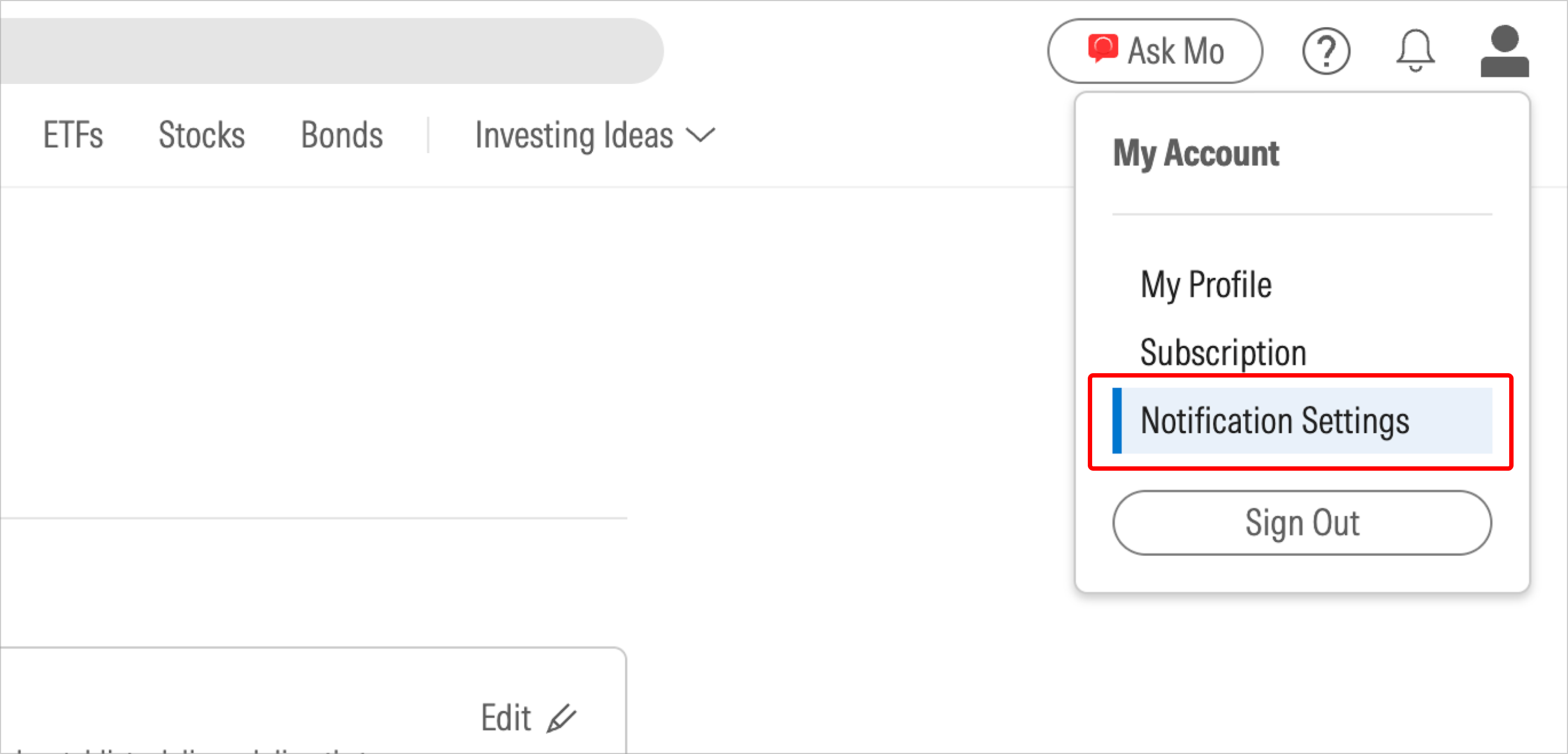
- Click on the person-shaped icon in the upper-right corner of the site and select Notification Settings in the drop-down menu.
- Select Edit.
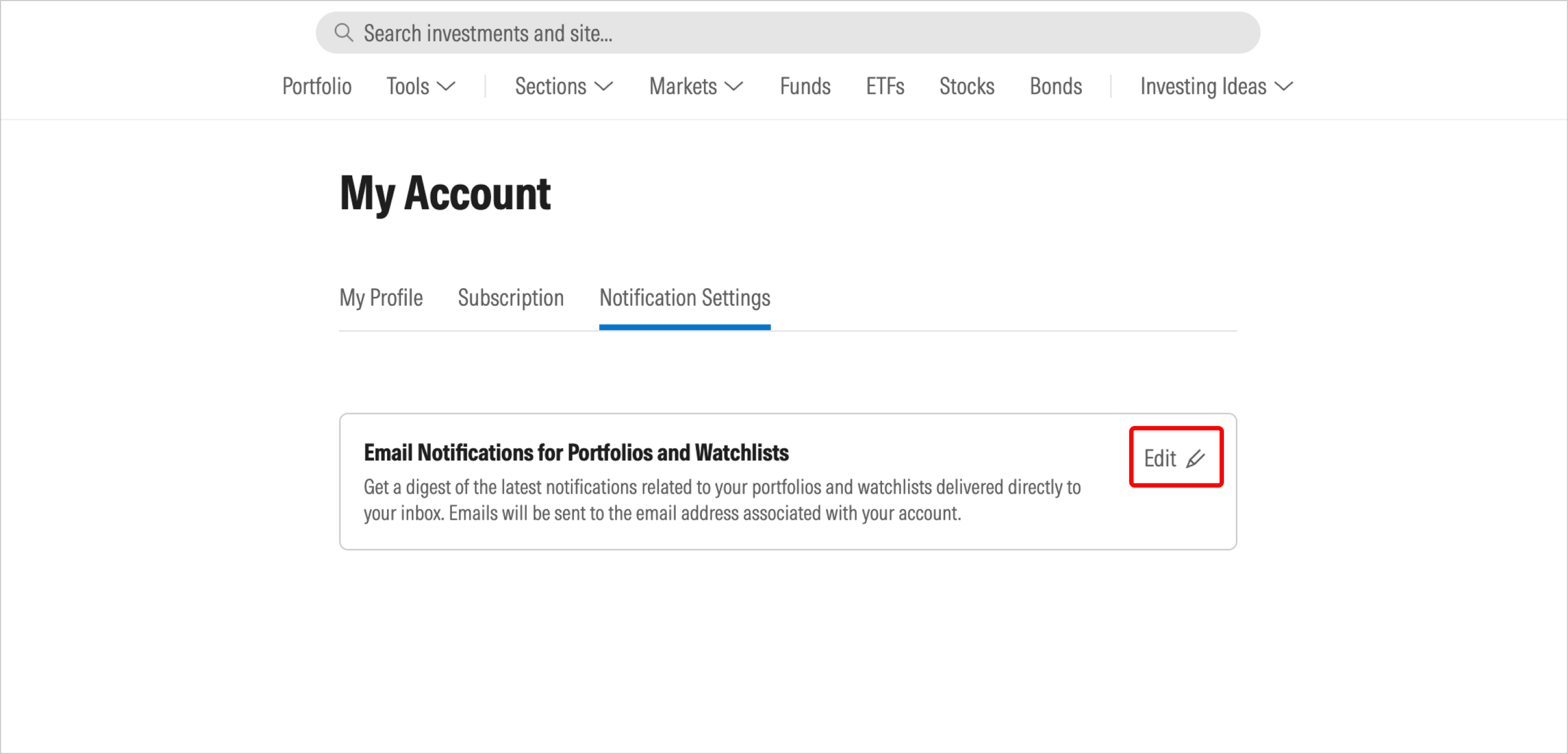
- Move the toggle button next to “Receive email notifications.” Toggle off to opt out, or toggle on to opt back in if you change your mind.
- The corresponding success message will display on the screen.

 United States