
Mike Piper: Scammers Are Getting Smarter. Is Your Financial Security Keeping Up?
The personal finance author explains how AI is changing scams, why passkeys offer stronger protection, and how to make your financial accounts harder to compromise.
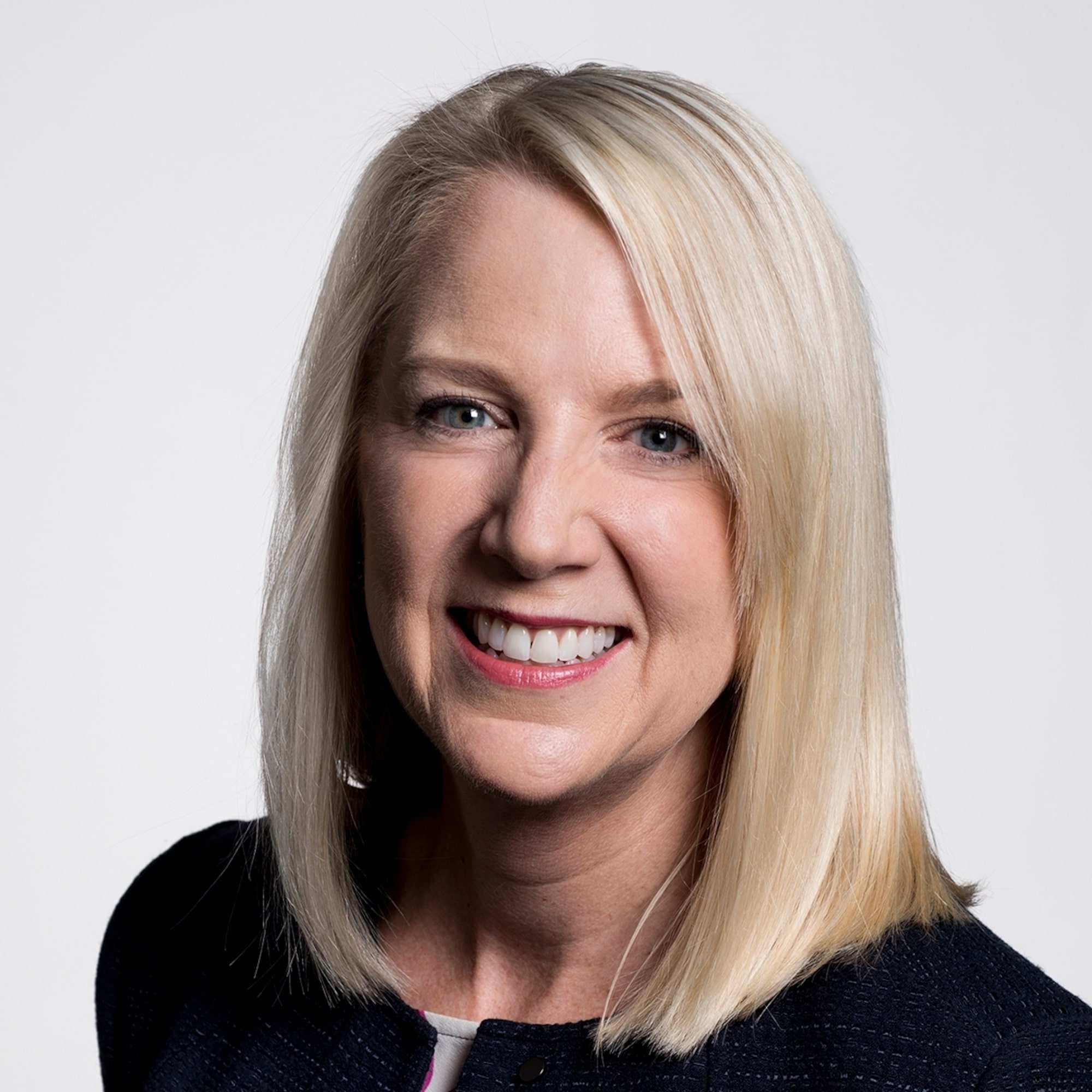


Subscribe to Morningstar’s The Long View from your mobile device: Apple Podcasts | Spotify
Our guest on the podcast today is Mike Piper. Mike is the author of several personal finance books, the latest of which is called Household Cybersecurity: A CPA’s Guide to Protecting Your Accounts and Personal Information. Mike also writes a wonderful blog called Oblivious Investor, and he’s developed a free tool exploring Social Security claiming decisions called Open Social Security. One thing we loved about the conversation with Mike and about Mike’s book is his attention to the interplay between cybercrimes and cognitive decline as we age. He has a lot of helpful tips for troubleshooting that issue. One of the really interesting points he made was that financial problems can actually be an early warning sign of cognitive decline for an older parent or other family member. Mike shared simple, helpful tips that are easy to implement, including why you should create a guest network that’s separate from your main network at home, and how that can improve your cybersecurity.
Episode Highlights
- Why Cybercrime Is Increasing
- How AI Is Making Scams More Convincing
- How to Spot Cyber Fraud
- How to Create Stronger Passwords
- Multifactor Authentication and Passkeys
- How to Secure Devices and Home Networks
- Are Bank or Investment Accounts Safer?
- Can Financial Problems Signal Cognitive Decline?
- When to Bring in a Financial Professional
If you have a comment or a guest idea, please email us at TheLongView@Morningstar.com.
Transcript
Christine Benz: Hi, and welcome to The Long View. I’m Christine Benz, director of personal finance and retirement planning for Morningstar.
Amy Arnott: And I’m Amy Arnott, portfolio strategist with Morningstar.
Benz: Our guest on the podcast today is Mike Piper. Mike is the author of several personal finance books, the latest of which is called Household Cybersecurity: A CPA’s Guide to Protecting Your Accounts and Personal Information. Mike also writes a wonderful blog called Oblivious Investor, and he’s developed a free tool exploring Social Security claiming decisions called Open Social Security. Amy, one thing I loved about the conversation with Mike and about Mike’s book is his attention to the interplay between cybercrimes and cognitive decline as we age. He has a lot of helpful tips for troubleshooting that issue.
Arnott: Yeah, I thought one of the really interesting points he made was that financial problems can actually be an early warning sign of cognitive decline for an older parent or other family member. I was taking a bunch of notes for my to-do list while we were recording, and I thought one helpful idea was when he was talking about why you should create a guest network that’s separate from your main network at home and how that can improve your cybersecurity.
Benz: Yeah, there were a lot of simple helpful tips that are easy to implement. Let’s get into the conversation. Mike, welcome back to The Long View.
Mike Piper: Thank you for having me. It’s great to be back.
Why Cybercrime Is Increasing
Benz: Well, it’s great to have you, and I loved the book. I think it’s the right book at the right time by the right person because this is a complicated topic, and we’re looking forward to delving into it with you today. Let’s start with a really basic question. How do you define a cybercrime?
Piper: That’s a great question. The word cybercrime—the only time I use it in my book is referring to some statistics from the FBI about increases in cybercrime. What’s kind of funny to me is that in their reports, they don’t actually define it themselves. They give examples, and so it’s pretty much what you would expect. It’s phishing crimes, crimes where malware was a part of it, ransomware, and things like that. It doesn’t include someone pointing a gun at you and saying, “Give me your wallet,” but it includes all of the electronic versions of that crime.
Arnott: In the book, you note that there was actually a tenfold increase in cybercrime between 2018 and 2025. What were some of the main factors behind that huge increase?
Piper: Yeah, so this is for victims aged 60 and up, and the number, actually, is an 11.9 times increase from 2018 to 2025, which is absolutely mind-blowing. There are a lot of reasons for that. Number one, of course, is just an aging population. As we age, various changes can happen that can make us more vulnerable, whether those are cognitive changes or life circumstance changes. Another big part of it is that just in the last handful of years, the tools that the bad guys have, essentially, have become much stronger as AI capabilities have improved dramatically. And while that’s happening, while their tools are becoming much stronger, the truth is that most individuals, especially older individuals, their own security practices aren’t really any different from they were a handful of years ago. When you have one side getting a lot more powerful and the other side basically continuing to do the same thing, there’s been a big shift in the balance of power, essentially.
How AI Is Making Scams More Convincing
Benz: We want to delve into aging and cognitive decline as a dimension of this. We’ll cover that later, but let’s stick with AI for a moment, Mike, because you note that the increasing sophistication of AI is a big factor here. What types of AI-related scams and frauds have you been seeing, and you’re most concerned about?
Piper: Yeah, there’s a ton. In many ways, it’s really AI making it a lot easier and faster to do the same types of frauds that people have always been doing. One example: Before, it might’ve been very easy to look at a fake email that’s pretending to be from your bank and quickly identify that there’s a whole bunch of typos, misspellings, and grammatical errors in it. Whereas now, using an AI chatbot, it’s very easy for somebody who doesn’t even know English at all to write a convincingly worded and an email with perfect grammar in English. Something as simple as that.
But there’s also the fact that it’s much easier, much less expensive for the bad guys to create very targeted attacks now than it used to be because you can automate research. You can ask an AI bot to research an individual person, find everything they’ve posted on social media, find anything that other people have posted on social media, look at obituaries, look at whatever articles you can find, and craft a very highly targeted attack. Before, that used to be an extremely manual, labor-intensive process, so something like that would’ve been reserved only for very high-value targets, whereas now you can automate that at a very low cost and deploy that type of attack against all sorts of people at broad scale.
Just to give one example, Christine, you might personally find this interesting because you’re involved, actually. Not long ago, I asked a particular AI—it knows who I am already and it knows I’ve been writing about cybersecurity—and so I asked it, “Create a profile of me as if you were going to plan an attack against me and what would you do?” It thought for a couple of minutes, and it came back and shared all sorts of information about me. Of course my job is fairly public, so a lot of this is pretty easy to find, but it also found some things that I’ve never written about. I guess perhaps another family member shared it on social media or something, so that was interesting.
But then here’s the most interesting part. It said, “If I were to craft an attack against you, I would probably impersonate Jim Dahle, Christine Benz, or Jon Luskin, because those are people who I know that you have known for a long time, you trust them, and you consider them to be friends. If they asked you to do a favor, you would be inclined to do it. Plus, all three of those people have … There’s lots of public record of the three of you speaking and talking, so it would be easy to mimic you, to create a deepfake video or voice message impersonating you.”
When I saw that, it was just, wow, because that’s exactly right. I do consider the three of you to be friends, and I would be likely to want to do a favor for you if you ask. It’s so on the mark, and I know a lot of people might say, “Oh, my life isn’t as public. I don’t post things on social media,” and that’s good, but sometimes the attack won’t be that. It will be that they researched your granddaughter, who does post everything on social media, and they don’t actually need to know very much about you because the attack is convincingly mimicking your granddaughter, and they have lots of material to use for that. That’s how they come after you. It’s just much easier now for very targeted attacks to be created at a low cost.
Arnott: That’s pretty scary. One of your pieces of advice is that you have to know your opponent when it comes to these cyber criminals. Why is that important and what should we know about them?
Piper: Yeah, the message there that I’m trying to get across is that these are professionals, right? When you think of yourself and the people you work with, you’ve had this career for however many years, and you’ve spent all this time building up your skills and learning technologies, and that’s what these people are doing too. This is their career, and they probably work as a team with other skilled professionals, each with their own areas of expertise. You’re working against skilled professionals with very powerful tools. It’s important to recognize that that is who the bad guy is in this case.
How to Spot Cyber Fraud
Benz: There are so many different varieties of fraud that it’s difficult to keep track. In fact, I liked your caution in the book where you’re like, “Don’t even try to memorize all these things because they’re changing so quickly, they’re proliferating.” But you note in the book that there are some commonalities, and these cyber frauds often follow a two-step process. Can you talk about that?
Piper: Yeah. Almost every fraud is going to have to do two things. The first step is they have to get your trust in some way, and sometimes that’s very quick. It’s just an email that appears to be from your brokerage firm, and it was good enough that it convinced you, for instance. So, they got your trust in just seconds. Other times it could be a longer, more drawn-out affair where it’s a message from someone you don’t know over social media, and they build what feels like a real relationship with you over time, when in reality, right from the start, this is all step one of a fraud. They’re just trying to build trust with you over time. That’s the first step, is gaining your trust somehow.
The second step is that now that they’ve got your trust, there’s going to be some call to action, and that could be any number of different things. I think it’s useful to group those into two categories. The first category is things that will give them access to your account in some way. That would be phishing. If they’re asking you to share your login credentials to something, or share a multifactor authentication code, or anything that involves you ending up with malware on your device so that they can harvest your login credentials, things like that.
The second category of call to action is things that don’t end up in them having access to your account, but rather you essentially just paying them money directly because you thought they were somebody else. Things included in that category: A lot of times, frauds will involve asking for payment by gift card or by cryptocurrency. Either one of those is a huge red flag. If you ever encounter requests of that nature, assume it’s fraud until proven otherwise, because the reason that those are so preferred as means of payment by thieves is that they are very hard to track and very hard payments to reverse. It’s helpful to think about the two steps—gaining your trust and these calls to action—because we want to put roadblocks in place for each of those two different steps, basically.
Arnott: You also note that as an overall policy, everyone should be skeptical about any type of incoming communications, email, text, et cetera, about your financial accounts. What should people do instead?
Piper: Yes, exactly. So, this is the two steps that we were just talking about. The first step is to gain your trust somehow, and that’s going to be through some sort of incoming communication. We need to be very skeptical of them. That plays out in a number of different ways. Number one, we don’t want to click links in emails. We don’t want to be following QR codes. Also, replying is not something we want to do. If it’s an incoming phone call, if it’s from a number that we don’t know, just let it go to voicemail rather than answering it. Basically, to the extent that it’s possible at all, we don’t want to interact with incoming communications unless we have some very, very clear way to know that it was from a genuine source. And probably the best example of that would be if this is an existing message thread, a text message thread that’s existing, you’ve already been discussing with this person, whatever, it’s OK to continue to reply to that. But emails out of the blue, you need to be very skeptical.
The next step is that if you do receive an email or a text or a message from some other messaging app or a phone call when they leave a voicemail and you’re not sure if it’s legitimate, but you are concerned that if it is legitimate, this is a thing that you need to deal with, then what you need to do is: On your own, rather than replying to that email, rather than calling back that phone number, on your own, reach out to the institution in question by some means that you know is legitimate. So, going to your browser and typing in vanguard.com or whatever the appropriate URL is, or opening up the app on your phone to chat with them, or if it’s your bank, that would be calling the number that’s on the back of your debit card, that sort of thing. So, reusing a means of communication that you know goes directly to the actual entity in question in order to get in touch with them.
Benz: The book has a lot of recommendations and kind of best practices about how to keep ourselves safe, but you recommend that we all keep a cybersecurity checklist and periodically revisit it. What are the main things that should be on it?
Piper: Yeah, there are a lot of things that should probably be on it, and the details will vary from one household to another, depending on the people in your household and what different devices you use and so on. There should be, one of the highest priority things, is policies with regard to login credentials. We’ll talk about that in detail later. Policies about device security, enabling automatic updates. We’ll talk about that also later. Network security, so settings for your Wi-Fi router at home. There are a lot of different categories that we need to make sure to cover.
Arnott: You also recommend that each household should have a chief information security officer. What should that person know and do?
Piper: Yeah, the reason I recommend that in the book is that I think it’s critical for every household to have somebody who is officially taking on this responsibility because if nobody does, it’s very easy for things to be left out or forgotten. Whereas if it is one person’s official responsibility, then they can create a household cybersecurity checklist, and they can put it in their own personal calendar to get an email notification once a year, or however often, to revisit that checklist and make sure that they’re actually doing all these different things. I think it’s important to have one person who explicitly agrees that, yes, this will be my responsibility. As far as what they should know, I think it varies over time, of course, as technologies change, but it is helpful to know, I guess I’ll say a little bit more than most people seem to know right now.
For instance, right now it’s important to understand what passkeys are. It’s important to know what security keys are, and I know we’ll be talking about those things today, but those are topics that I know probably a lot of the listeners are saying, “Yeah, what are those?” Because that’s what I keep hearing from everybody these days every time I write about these topics is that these are new enough things that most people don’t know what they are, how they work, or how to use them.
How to Create Stronger Passwords
Benz: Right. We want to delve into some of those things, Mike. I thought maybe we could start with something very mainstream and widely used, which would be the passwords that we all use to log on to various websites. You point out that password strength and length are super important. Length surprised me a little bit, but it makes sense, but I’m wondering if you can talk about that. If I’m using my own passwords versus using a password manager—which you think the password manager is a better practice—what are some do’s and don’ts for those self-created passwords?
Piper: Yeah, so yes, I do think a password manager is a better idea, but regardless of whether you are manually creating passwords or you’re using a password manager to do it, the first thing is that they need to be strong passwords. And strong, the most important factor there is the length; just the greater the number of characters that are in the password, the longer it will take for somebody, a bad guy who is manually iterating over all of the possible passwords, the longer it will take for them to arrive at your password. That’s one thing.
Another important thing is that it really, really should be randomly generated, and any words that are easily memorable because they normally go together and they mean something to you, that’s going to be much weaker than a randomly generated password of the same length.
Another critical aspect is that passwords should be unique, meaning whatever password you use for this website, you shouldn’t use the same password for some other website. When you add those things together, that is largely why I recommend a password manager because, for most people, the idea that you’re going to create a unique password for every website you use that’s randomly generated and then just remember all of that is pretty much impossible. And so, that’s why most people should be using password managers.
One other thing to touch on here is passphrases. So, a passphrase is just a password made up of multiple words. That can be a good option. They’re easier to remember than randomly generated characters. A string of 14 randomly generated characters, including open parentheses and percent symbols and things like that, is extremely hard to remember, whereas a phrase consisting of four or five or six words in a row is easier to remember. That could be a great option, but again, it’s important that the words are randomly selected. If you pick four words in a row that make up a common phrase, then that’s going to be a much weaker password.
Arnott: If you are going to use a password manager, how can you go about choosing and implementing one, and are there any password managers out there that you think are particularly good or easy to use?
Piper: Yeah, Bitwarden is what I use, but it’s not the only good choice. 1Password is also very highly recommended, for instance. If you are an all-Apple household, for instance—I refer to it as Apple passwords because it’s from Apple—but the name of the application is just Passwords. That’s what you’ll see on your iPhone, or if you’re using a Mac and you go into your Applications folder, that’s what you’ll see there. Any of those are great. KeePassXC is another well-regarded version that is entirely offline for people who are uncomfortable with the idea of their passwords being stored in the cloud. There are multiple good options here. Google Password Manager that’s built into Chrome, or Microsoft Password Manager that’s built into Edge. There’s a little bit of controversy regarding whether those are fully as secure as Bitwarden or 1Password, for instance, but they are still going to be much better for most people than if they’re creating their own passwords and just trying to remember them.
Multifactor Authentication and Passkeys
Benz: I wanted to move on to multifactor authentication, which seems to be the standard for a lot of different websites, especially ones that might have our sensitive information. You note in the book that those multifactor authentication codes that we receive on our phones or in our emails are the keys to the kingdom for cybercriminals. You share a story in the book about how one of your clients was scammed in this way. Maybe you can talk about that and share some rules of the road with respect to those multifactor authentication systems.
Piper: Yeah. When we log in to a website, if we’ve got multifactor authentication set up by text, for instance, we need to put in the username, the password, and then they send us a text message with this code, and then we put that in too. So, we use three different things to log in. It might feel like those are the three things that you need to get access to the account, but for most accounts, there’s going to be some other way to access the account also, which is the account recovery process, or you might think of it as the I forgot my password process.
In many cases, with financial accounts especially, you can go look for yourself, whatever bank and brokerage firms you use, go look at the forgot my password page for each of them. What you’ll see in many, many cases is that they ask for your name and your date of birth and your Social Security number, or maybe just the last four digits of your Social Security number and your ZIP code. They might ask for your email, so that’s pretty much what they ask for. Then you submit that form, and then they’ll send, typically, a multifactor authentication code to your phone. Then, when you put that code in, they let you change your password, and you’re logged into the website.
The key thing here to know, to realize, is that all of those pieces of information that they asked for—your name, the last four digits of your Social Security number, your ZIP code, your date of birth—for most of us, that information is already available to thieves because of various data breaches that have occurred over time. For most of us, that information can be purchased in the shady corners of the internet.
In many, many cases, for many financial institutions, for many of us, a thief already has everything they need other than that one six-digit code. If you get tricked into sharing that code with them, they’re in your account, and that’s exactly what happened to these two people. I think a lot of people don’t realize that. They don’t realize that with just one thing, that’s all a thief needs, but that’s in many cases true. Even though on a day-to-day basis, you probably get a whole bunch of these six-digit codes, and so it’s easy to think of them as not that big of a deal. They are a big deal. They’re a really big deal. We need to treat them as extremely private pieces of information. Guard it more closely than you guard your Social Security number.
Arnott: You also write about passkeys and note that they’re kind of a rare win because they’re simpler than passwords, but also more secure. How do passkeys work?
Piper: Can we go back to multifactor authentication for a minute?
Arnott: Oh, sure.
Benz: Sure.
Piper: Yeah. There’s just a little bit more to share there, and it leads into passkeys. If multifactor authentication is a challenge, there are a few things to know. When we talk about factors, there’s three categories of factors. There’s something you know, which would be a password. There’s something you have, which could be your phone; a code’s going to come to your phone, and something that you are, which would be a fingerprint or a Face ID, a biometric identifier of some sort. We generally want to see a login process that requires factors from two of those different categories, because that’s what makes it much harder for a thief to get access to the account. Because if you’re using, for instance, just two things that you know, if a thief convinces you that they are a legitimate party, they might be able to convince you to share both of those two things that you know.
We want to make sure that it is, for instance, something you know and something that you have, and that kind of leads into passkeys. Passkeys were created right from the start with the goal of replacing passwords, completely replacing passwords as a method of logging in. The reason for that is that it’s two things we’ve talked about already, which is that passwords, which the security community has known for a long time, the passwords have inherent flaws. The first is that when left to their own devices, when people need to create passwords, they frequently create weak passwords or they reuse the same password for a bunch of different websites. And so, there’s that problem. The second problem is the problem of a thief convincing you to share the password. That can happen.
Passwords have those two inherent flaws. Number one is that people use weak passwords and reuse the same passwords across accounts. Number two is that you can be tricked into sharing the password with a malicious party. The idea was to come up with an entirely new way of logging in that doesn’t have those flaws, and so that’s what passkeys are. And passkeys, let’s kind of walk through what happens when you create a new passkey and when you sign in with a passkey. Let’s say you’re already signed into your bank’s website, and you click the button that says create a passkey. What happens when you do that is your device makes two things. They’re called keys. They’re cryptographic keys, and one is designated the private key and the other is designated the public key.
I often use an analogy to explain this idea. Imagine that you’re a kid again, and you have a magic pen, and this magic pen, when you write with it, the ink looks totally normal. It looks like it’s a perfectly normal pen, but you also have a magic magnifying glass. And this magnifying glass, it also looks like a totally normal magnifying glass and usually works like a normal magnifying glass. But when you use it to examine ink that was written specifically with your magic pen, that ink will glow sparkly purple. So, what you can do is you can give this magic magnifying glass to your best friend, and that way you can write the messages, and they can know. They can know, did Christine actually write this message with her magic pen because they can identify it with the magnifying glass, or was it an impostor who wrote this message with normal ink? So, they can tell: Did the person who sent this message actually have this magic pen?
Going back to passkeys, when you create a passkey, your device—your computer or your phone—creates a private key and a public key. The private key is the magic pen, and it’s going to be stored typically in your password manager or potentially on a physical device, like a security key, like a YubiKey, and the public key is sent to the bank, sent to the bank’s website. The private key stays private; it stays on your end, and the public key—that’s the magic magnifying glass—goes to the bank, and the bank will now associate that public key, that magnifying glass, with your user account.
When you go to sign in with a passkey, what happens is your device uses the private key, the magic pen, to create a digital signature. Actually, sorry, there’s one step first. When you click sign in with the passkey, your device will ask you to authenticate that you are you, so it will ask you for your fingerprint or your Face ID or your pen or whatever it is to unlock the device. That stuff happens first, and then your device does another step first, which is it checks if you have a passkey for this particular website, and I’ll get to why that’s important in a minute.
And then it uses your private key, your magic pen in our analogy, to create a digital signature, which it sends to the bank, to the website that you’re logging into. And then the bank uses your public key, the magnifying glass, to examine that digital signature and see, was this signature created by the appropriate private key? If it’s Christine signing in, was this created, the signature, was it created with Christine’s private key? And if so, Christine gets to sign into the website. If not, then no, the sign-in request is rejected.
There are various safety benefits here relative to passwords. The first one is that when your device creates that passkey, when it creates the public and private keys, it’s creating those according to certain predefined standards. They are, by definition, going to be cryptographically strong. Whereas again, many people, when they create their own passwords, create pretty weak passwords, and it’s got to be unique. Many people, when they create their own passwords, use the same password for a bunch of different websites. It automatically, without you needing to do anything, solves both of those two problems.
The other thing is that passkeys are very, very resistant to phishing attacks for a couple of reasons. The first one is that when you go to sign in with a passkey, let’s say Chase is your bank, so chase.com is the bank’s website, and you created a passkey for chase.com. Well, if someday you get tricked by an email and you accidentally click a link that takes you to a website that looks like chase.com, but isn’t actually chase.com? Well, if you try to sign in with the passkey, your device will recognize this isn’t the right domain, and so it won’t do it. Your credentials won’t get shared with this malicious website. It prevents that type of phishing.
The other thing is that with passwords, we have access to those passwords. We know what they are, and so we can be tricked into sharing them. With a passkey, that private key that your device creates is basically hidden from you, the user. Even if somebody were to trick you into thinking, like you get a phone call from somebody, they convince you that they’re working for your bank, but they’re actually a thief. Even if you wanted to give them the passkey, you can’t. You can’t share it with them because you don’t have an easy way to do that, really. So, passkeys are resistant to phishing for that reason also.
I talk about passkeys so much these days because those are two big security improvements. In fact, multiple cybersecurity government agencies in the US and in the UK, as well as nonprofit organizations in this space, are enthusiastically encouraging people to transition from using passwords to using passkeys for those reasons. They are always going to be strong, whereas many people use weak passwords, and they’re very resistant to phishing. Can I tell you one more thing about passkeys that I think is helpful to know?
Arnott: Sure, of course.
Piper: This is a thing that trips people up when they use passkeys when they just first start using them. It’s a warning that I like to give people. It’s important to know where your passkeys are being saved, where they’re being stored, because something that ends up happening for a lot of people is they’ll create a passkey on one device for a particular website, and then they use a different device to try to sign into that website, and it’s saying, “You don’t have a passkey.” And they’re confused. They’re thinking, “This isn’t working.” In reality, it’s just they’re … for instance, if your phone is an iPhone and you browse on a phone with Safari and you create a passkey for your bank, that passkey will be saved in Apple’s Passwords app on your phone.
But if your laptop, for instance, is a Windows laptop and you’re browsing with Chrome, it can’t see that passkey that’s on your phone. If you create a new passkey, since you’re browsing with Chrome, it would be saved in Google Password Manager, and your phone wouldn’t be able to see a passkey in Google Password Manager. They wouldn’t—automatically, anyway—the two devices automatically would not necessarily be able to see each other’s passkeys, but that’s fine. You could just create a passkey for each of those two devices. You just have to know that you need to do that. Otherwise, people get stumped when they first start using passkeys. They’ll have a passkey on one device and not realize why they aren’t able to sign into that website.
And it’s because, well, now you’re using a different device that doesn’t see that passkey. But sometimes it will be shared across devices. For instance, if you have an iPhone and a MacBook and you use the Apple Passwords app on both devices, then your passkey will be synced across the two devices. If you create it on one device, the other device will see it as well. There’s going to be a little bit of differences in terms of the user experience for one household as opposed to another, depending on what combination of devices and browsers and so on they’re using.
How to Secure Devices and Home Networks
Arnott: The book also has a lot of great information about keeping devices and home networks safe. What are some of the key steps that we should all take to ensure the integrity of our own technology systems at home?
Piper: Yeah, there’s a long list of things here. The first thing that I would recommend, and the one I’ll really harp on, is automatic software updates. More and more devices come with that enabled by default, which is great. The reason this is so important, and even more important than it used to be, is that AI is very good at finding vulnerabilities in software. The number of vulnerabilities that are getting found and fixed every day is much greater than it was a couple of years ago.
Let’s say Apple: They frequently release new versions of macOS and iOS, and those new versions will fix various vulnerabilities that have been found. Whenever an update like that gets released, what the bad guys will do is they’ll look at it, and they’ll try to see what code has been changed. Then from that, they’ll try to reverse engineer what the vulnerabilities must have been that got fixed and then try to figure out a way to exploit those vulnerabilities. That process of reverse engineering the vulnerability and finding out a way to exploit it is much faster with AI than it used to be. When a new update gets released, basically now all the bad guys have the starting point that they could work from to try to figure out a new attack. If a new update gets released and you don’t install it, you are now vulnerable more quickly, more severely than you used to be. It’s important to have automatic updates for your operating systems, your browsers, and so on and so forth.
One more thing on devices is it’s important to recognize when your device reaches end-of-life status, which is when the manufacturer will no longer be providing updates because once that happens, that means that whenever any vulnerabilities get found for the operating system on that device, they won’t be patched. They’re just permanent vulnerabilities. So once the device reaches end of life, it’s time to retire the device, even if it still feels like it’s working.
There’s also a variety of network security policies that are helpful to put in place. For instance, the administrative interface on your router, it’s important to change the username and password to something other than the default settings that come with the device. That’s also valuable to make it so that the administrative interface is not accessible via the broader internet. You have to be local to change the settings on your router. Creating a guest network is valuable so that any guest devices are kept separate from your devices. You can also put Internet of Things devices on that guest network. If you have a smart refrigerator or a smart baby monitor or whatever it is, keeping those devices on a network that’s separate from your main network where your phone and your computer live is a valuable security tool as well.
Are Bank or Investment Accounts Safer?
Benz: I wanted to ask Mike about financial accounts specifically. In a recent episode, one of our guests talked about bank accounts versus investment accounts, and her view was that bank accounts are more vulnerable because the money is usually sitting right there. Whereas if I’ve got money in an investment account, there are usually securities that need to be sold. It’s kind of a multistep process to extract money from that account. Do you concur with that? Should I be more careful? I know I should be careful in any case, but should I be more careful about having a lot of money in my bank account?
Piper: I saw this question, and this was the episode with Dana Anspach, which was just a lovely episode. I don’t know. I’m not sure that there’s a broad statement that can be made because I think it’s going to vary from one bank and from one brokerage firm to another. But I did really just want to … I thought it was great that the two of you and Dana talked about this topic.
Dana, as you both know and as anybody who’s read any of her work knows, is just so deeply knowledgeable about a ton of different things. It was really neat to see that this is a topic that she’s addressing with clients, cybersecurity, because I think unfortunately for a long time in the world of financial education and financial planning, we’ve largely, when we talk about fraud, we kind of just say, “Here are some common types of fraud so you can avoid them,” and we tell people to freeze their credit. It’s a good idea to freeze your credit, and it is good to know about different types of fraud, but I think we need to go beyond that.
For a long time, I think the attitude has been, well, cybersecurity is IT, that’s tech, that’s not financial planning. I see where that line of thinking is coming from, but most people don’t have a loved one who works in the cybersecurity field who is coaching them on these topics. For those of us who are financial educators or financial planners, I think we’re being trusted to give people the information they need and bring up topics that are important. And I think, frankly, we need to step it up a little bit. It just made me so happy to see Dana bring that up and see the three of you discussing that.
Can Financial Problems Signal Cognitive Decline?
Arnott: Another important issue is the link between cybercrimes and people who are older and might be experiencing cognitive decline. What have you learned in your research about that?
Piper: Yeah, this is an important aspect of this. Something that, once I started writing about cybersecurity, a thing that happened a lot was people would write in to share their stories of either how they had fallen for something or their loved ones had fallen for something. A specific fact pattern that happened often enough that it was shocking to me, at least, was mom fell for this scam, and that’s how we learned that she had dementia. That specific pattern of facts was something that I heard often enough to realize, what’s going on here? Is this a fluke? Because you know how sometimes once you see something, your brain will start to imagine a pattern. You have confirmation bias, and so you’ll start to see a pattern that’s not really there. So, I started to wonder, is this just me? Is this confirmation bias, or is this actually a real pattern?
As it turns out, it is a real pattern. At the beginning of this year, January of this year, there was a paper that was released: Dementia and Long-Run Trajectories in Household Finances is the title of the paper by four different authors. What they did is they looked at longitudinal data about different households, and they looked at when people do end up with a dementia diagnosis; it is not surprising that their finances are worsened as a result. You can think of a bunch of reasons why that would be true. But the thing that was so interesting that they found was that you can start to see that worsening of finances. You can start to see that in the data beginning about six years prior to the diagnosis, meaning the implication here to me is that in the financial planning world, as opposed to the medical field, where it’s a different set of implications.
For us in the financial world, a lot of times people kind of take this approach of, we’ll wait to put protections in place until we know something seems a little bit off, but we can now see that there’s research on this topic showing that the financial problems are themselves the early warning sign. Waiting until there’s something else obviously wrong, waiting until you can tell just from talking to mom or dad or whoever that something is off. By the time you see that, there’s potentially been financial problems for years, on average for six years. To me, the ramifications there for cybersecurity, but also just financial planning more broadly, are tremendous. It’s basically we need to, for all of us, assume that we are going to experience dementia, even though obviously not everybody does, but we don’t know who will, and we can’t wait until we see it because by then it’s too late. The damage, or at least the significant part of the damage, has already occurred.
Benz: Right. To follow up on that, Mike, how can people be preemptive? Like you’re saying, sort of assume the worst, assume that you may have cognitive decline, and that might diminish your judgment. How can people get in front of that potential issue and protect themselves?
Piper: Yeah, I think one of the things we’ve already talked about on the cybersecurity front is passkeys, also physical security keys like YubiKeys, because again, they are phishing-resistant because that’s one of the things that declines is our ability to pick up on phishiness, suspiciousness. We’re more likely to be duped. If you’re using things that cannot be phished, so a passkey can’t really be phished, you’re going to be safer.
But more broadly, I think one of the important things to do is implement some sort of oversight. I know a lot of households, for married couples, they do this already, where on a monthly basis together they might go through their spending or their investment accounts or whatever it is and kind of look at everything. The idea is that we want two people who we both think are of sound mind to be able to look at the credit card statement and identify everything on that statement is something that should be there. And then, same thing with the bank statement, the checking accounts, and then same thing with the investment accounts. We want to be able to have two people who we think are both of sound mind looking at this. If any big changes were made, any big transactions, or if any money was moved out of the account, we want to know why. We want to be able to confidently identify that, yes, this is a thing that happened for a reason that we know what it was and that it was intentional.
At some point, for anybody who is not married or for any married couple, once either of the two people are starting to have doubts as to their cognitive capacity, at that point it becomes important to bring in somebody else. And who that somebody else is going to be is, of course, going to vary from one person to another. It might be an adult child, it might be a niece or a nephew, or for some people it’s going to need to be a financial professional. If there isn’t somebody in your household who necessarily has the skills or has the time or whatever, if you don’t have a loved one who is going to step into this role, then it’s time to hire a professional to step into that role.
When to Bring In a Financial Professional
Benz: Mike, I wanted to ask about that friends and family network that some older adults may rely on, maybe that adult child. Do you think that’s realistic? I have to say, as being the person who was kind of on the front lines with this, there was a lot going on in our lives with my parents’ health and everything else. It was very hard to keep track of the financial accounts and manage the day-to-day living situation. Can you talk about that?
Piper: Yeah, that’s a great point. Again, that’s going to vary by family. Is it one person who has to deal with all of these things, or one adult child is looking at the finances, one of the adult children is helping with various other aspects of life? That’s going to be different from one family to another. Another thing is that it’s just kind of by definition going to change over time. In the early stages, it’s going to be less work because mom or dad or Aunt Beth or whoever it is doesn’t need as much help. But as they age, it’s more and more and more help. It’s absolutely going to be important to reevaluate the arrangements as time goes. What made sense when this person was 70 is not necessarily going to make sense when this person is 86. It very well may be time to bring in a professional sometime between point A and point B there.
Arnott: Mike, you spend a lot of time talking to and thinking about do-it-yourself type investors. Are the risks that we’ve been discussing a bit of a blind spot for those investors, in your opinion, the possibility that they might actually lose the ability to make good decisions about their money? And if that is a blind spot, what should people do about that?
Piper: Yeah, I think for some people it’s a blind spot just because it’s not something they necessarily thought about. And the specific timing of it, I think, is new information to many of us. The fact that the finances begin to worsen meaningfully before other symptoms appear, that’s just new information and needs to be incorporated into the planning. I do know, though, that many DIYers who I speak with are very concerned about cognitive decline and the ramifications. It’s definitely a thing they’re thinking about. It’s on their radar. Part of the challenge, I think, for many DIYers, especially if you’ve been a financial DIYer for decades, is accepting that the solution may well be to bring in a professional. I know that many DIYers are so skeptical and, in many cases, for good reasons, of the financial-services industry that bringing in somebody is something they’re just super reluctant to do. I get that. But also there does come a time, again, depending on family circumstances, where that’s just kind of what you have to do.
Benz: To follow up on that, Mike, I know a lot of people in our Bogleheads community, for example, to the extent that they are accepting of financial advice, they like the hourly model for financial advice because it’s very clean and transparent. Is there a risk to that model and kind of monitoring cognitive decline? As much as we all like it for its transparency, someone needs to initiate that engagement and OK that, yes, let’s get together and talk about this thing. It’s not kind of on autopilot for consumers. Can you talk about that dimension?
Piper: Yeah, I think you’re right. I’ll broaden it a little bit from just hourly because I don’t think it’s necessarily about the billing method and more about the scope of the engagement. Any method, so it could be hourly, but it could also be a flat-fee short-term engagement, which also would have that same shortcoming. We need some sort of engagement where there’s ongoing interaction, and that’s planned in, that’s budgeted in, that’s built into it. It’s automatic, ongoing interaction between the financial professional and the client in terms of interacting with them and potentially being one of the first people to sense when something is off, but also being the person who is going to be looking at the accounts, particularly the investment accounts generally, to see if there’s anything going on.
Benz: Well, Mike, thank you so much for getting together to talk about some of the key takeaways from your book. I think it’s definitely going to be something that I’m recommending to a lot of people. Thank you so much for being with us today.
Piper: Thank you for the invitation.
Arnott: Thanks again, Mike.
Benz: Thank you for joining us on The Long View. If you could, please take a moment to subscribe to and rate the podcast on Apple, Spotify, or wherever you get your podcasts. You can follow me on social media at Christine Benz on LinkedIn or at @christine_benz on X.
Arnott: And at Amy Arnott on LinkedIn.
Benz: George Castady is our engineer for the podcast. Jessica Bebel produces the show notes each week, and Jennifer Gierat copy edits our transcripts. Finally, we’d love to get your feedback. If you have a comment or a guest idea, please email us at thelongview@morningstar.com. Until next time, thanks for joining us.
The author or authors do not own shares in any securities mentioned in this article. Find out about Morningstar’s editorial policies.

 United States